Most cold outreach fails because of timing.
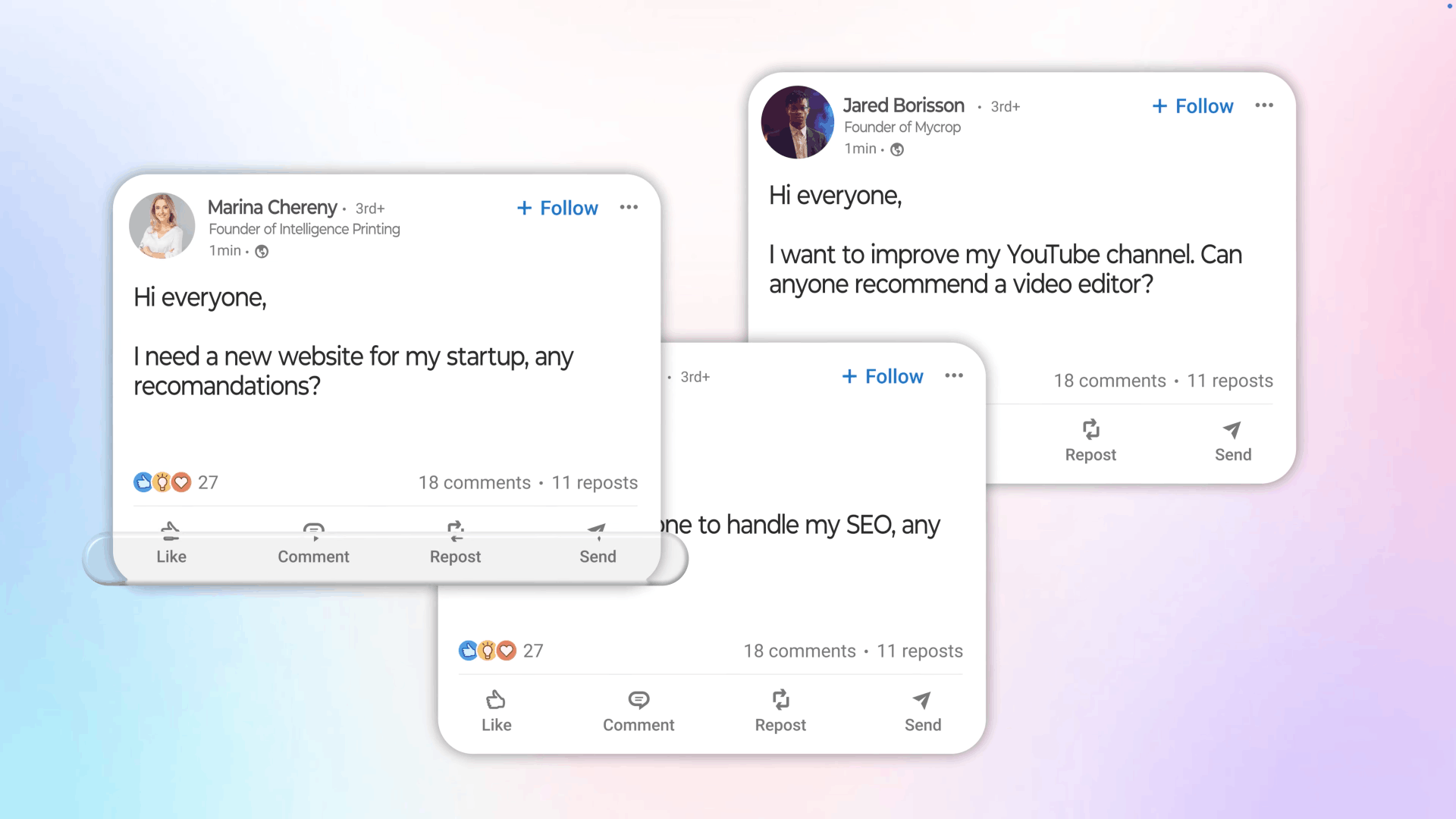
At any given moment, a small slice of your market is actively posting on LinkedIn saying they need exactly what you offer:
Those people are ready to buy. They're just waiting for someone to show up.
The problem: finding those posts manually is a full-time job. Reach out a day late and it's gone.
So I built a system that does it automatically:
This is how I set it up.
What you need
Click to enlarge
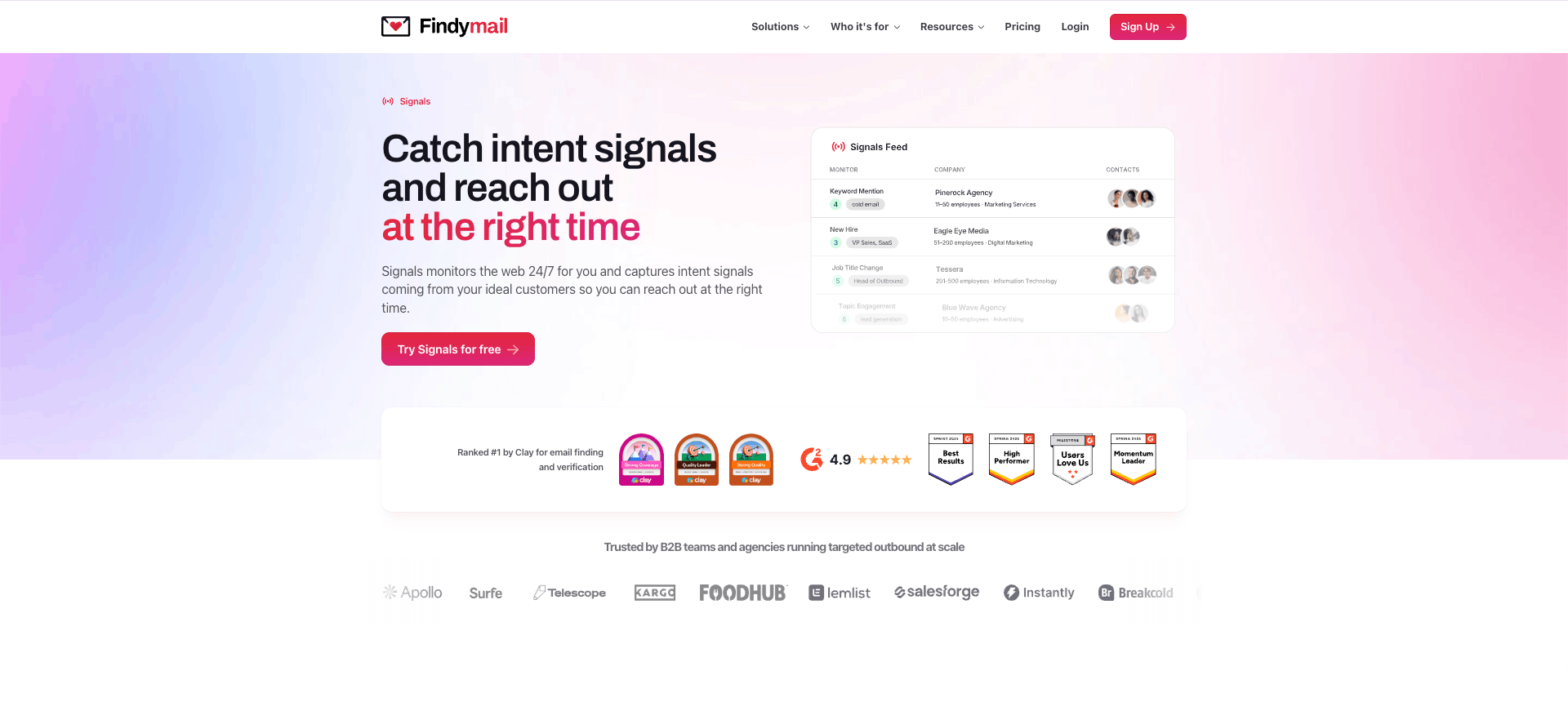
Findymail is a B2B data provider: email finder, phone numbers, company enrichment. The feature I use for this is called Signals. It monitors LinkedIn posts in real time and surfaces leads when someone fitting my criteria posts about needing what I sell.
Click to enlarge
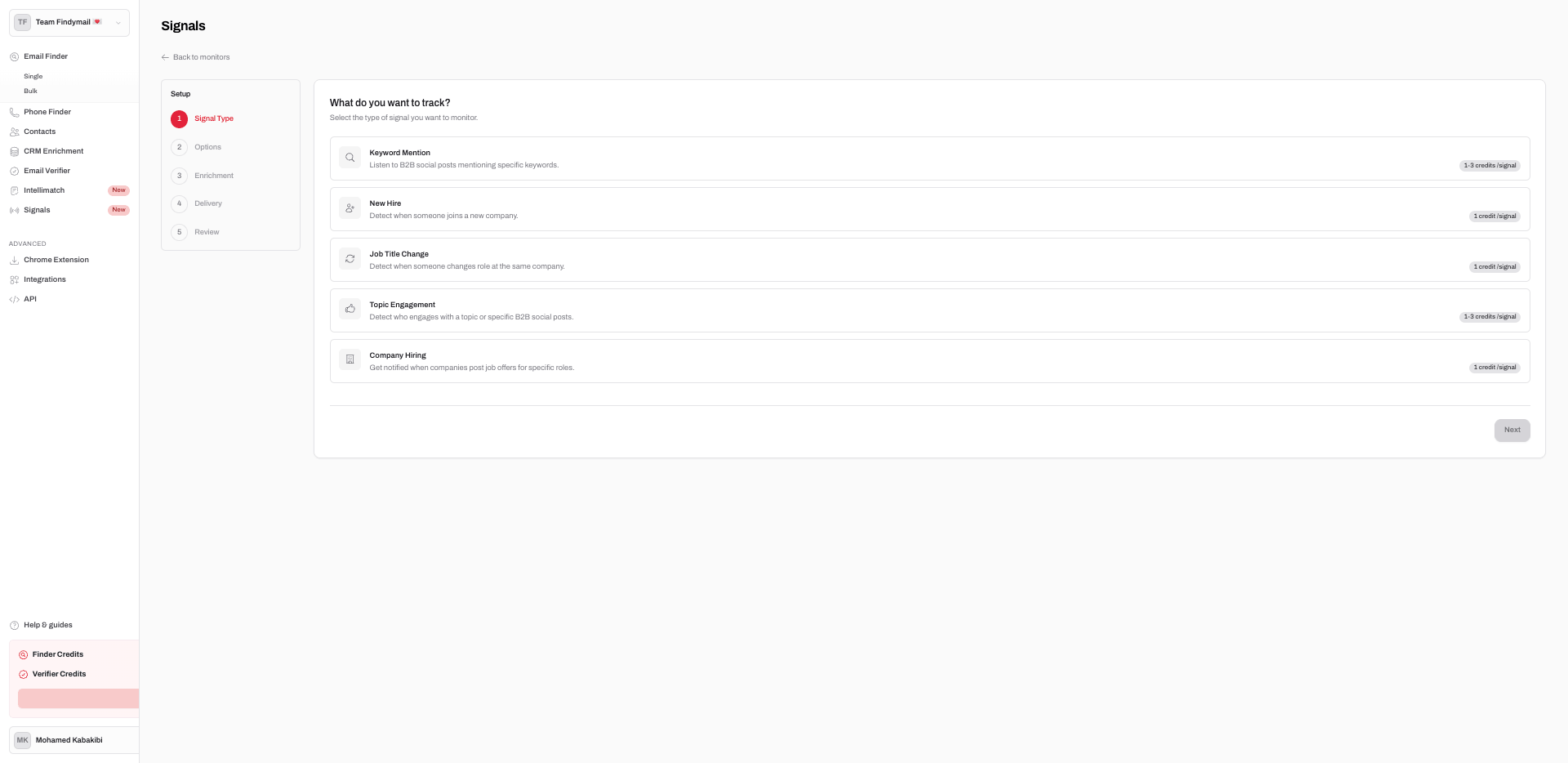
Go to Signals in the sidebar and click Create Monitor.
Click to enlarge
4 options:
For finding people actively looking to hire: select Keyword Mention.
Click to enlarge
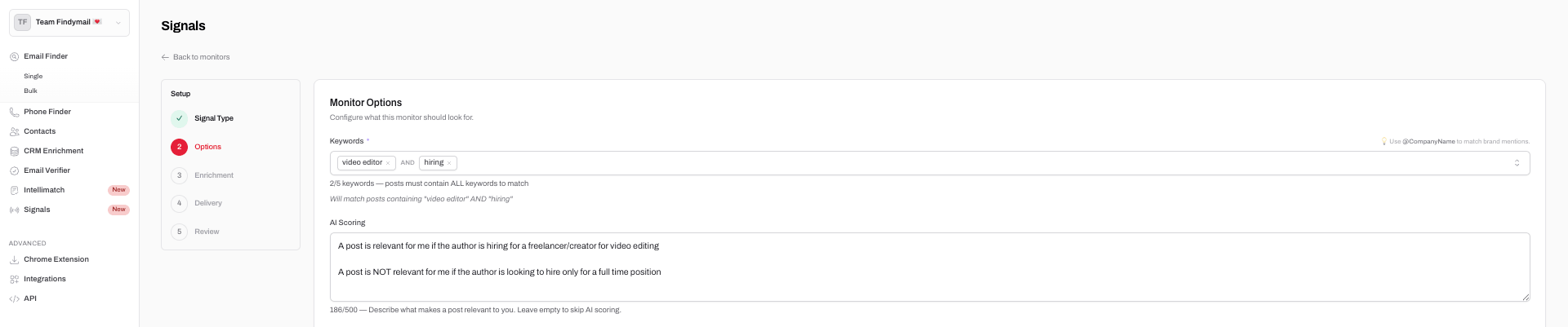
The first time I set this up I used keywords that were too broad and got a feed full of junk. Two things to get right here:
Keywords
AI Scoring
This is what separates useful signals from noise. Describe exactly what makes a post relevant or not:
The AI scores every post out of 5 with a two-lines explanation. I only look at 4s and 5s.
Click to enlarge
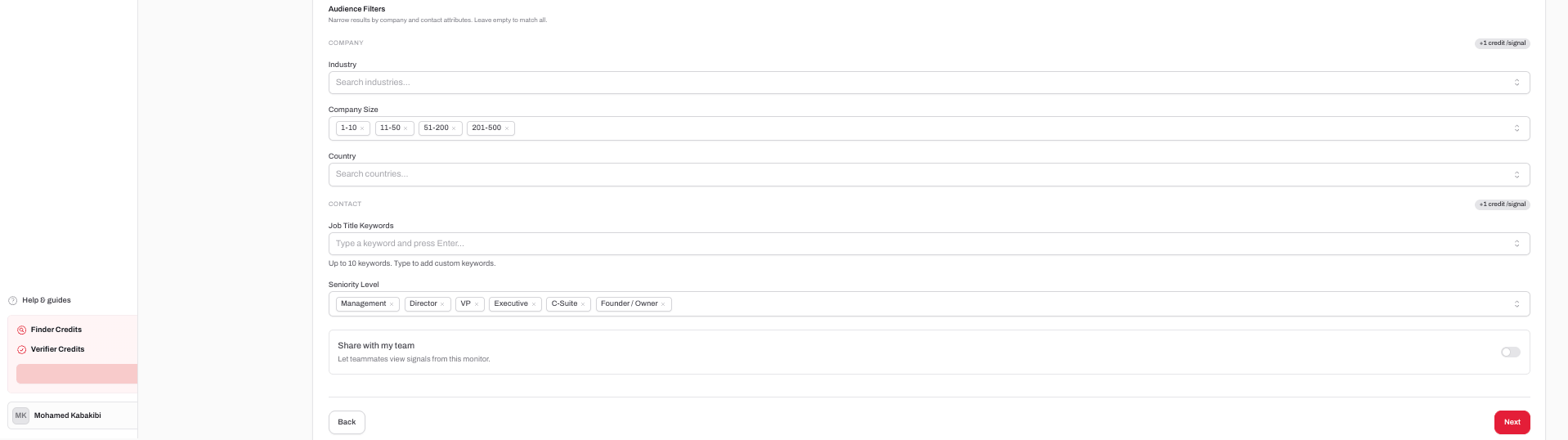
Even with tight keywords and good AI scoring, I was still getting leads from companies that were completely wrong for me. The audience filters fix that.
Company
Contact
For video editing I use: company size 1-500, seniority Manager or above. A lot of LinkedIn hiring posts come from junior employees or recruiters, not the actual decision maker. That seniority filter matters more than people think.
Click to enlarge
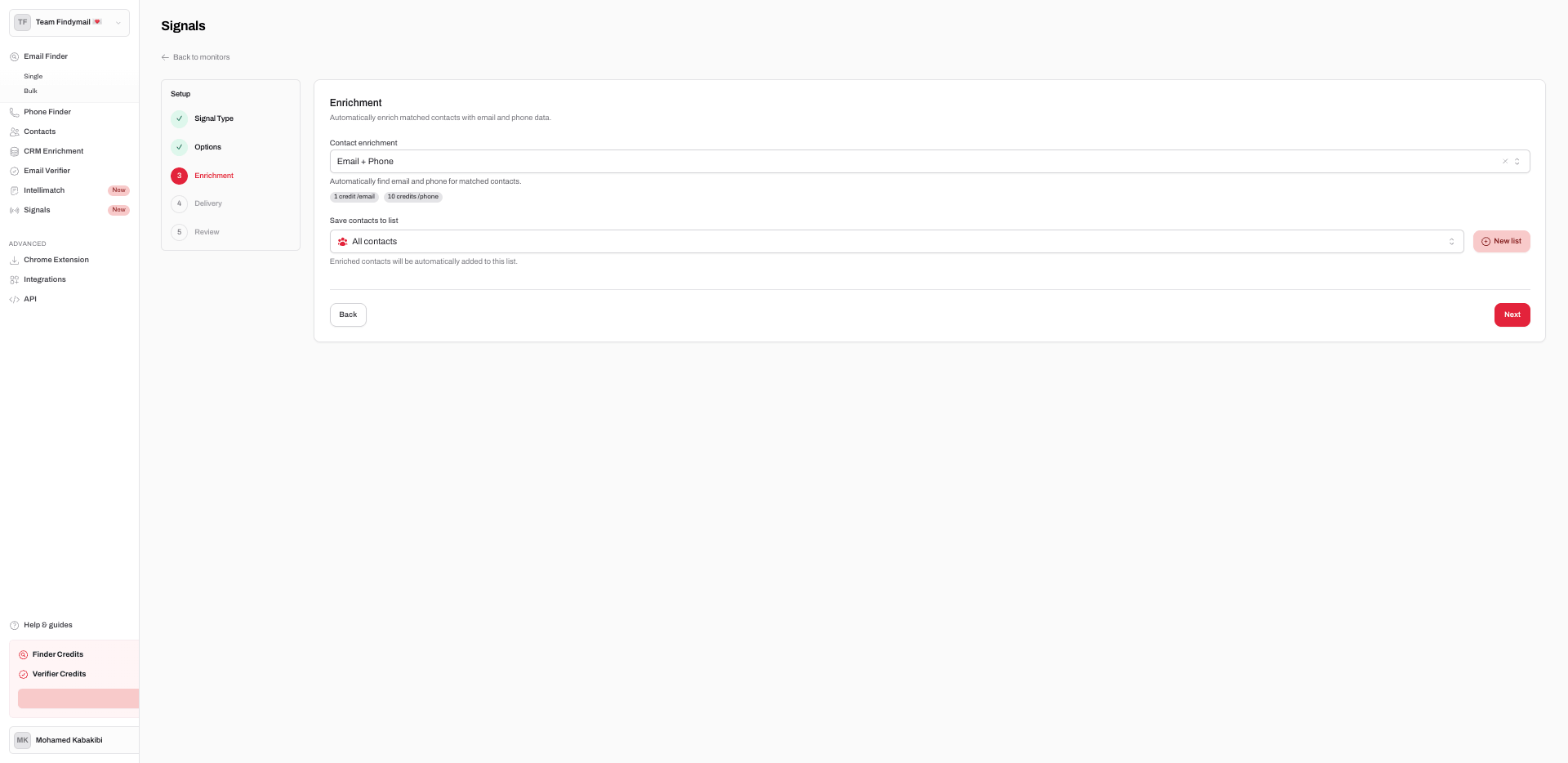
Before this, I'd find a good lead and spend 20 minutes hunting down their email with other tools. Half the time I'd end up with an address that bounced.
Click to enlarge
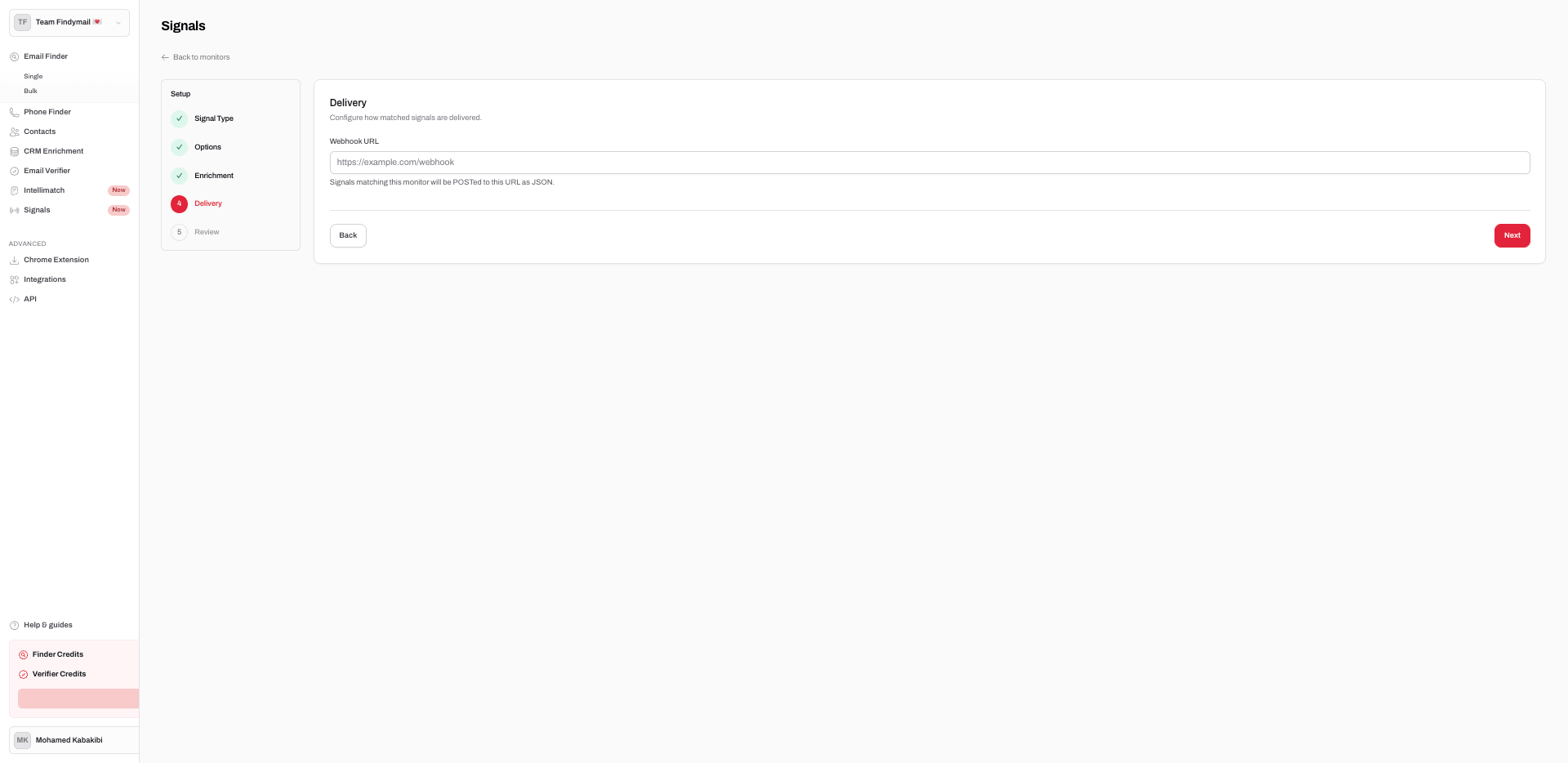
If starting out: skip this and check the feed manually each morning. That works fine.
If you want it fully automated: paste your n8n webhook URL here. Every new signal gets sent to it instantly as JSON. The next section covers how to set that up.
Click to enlarge
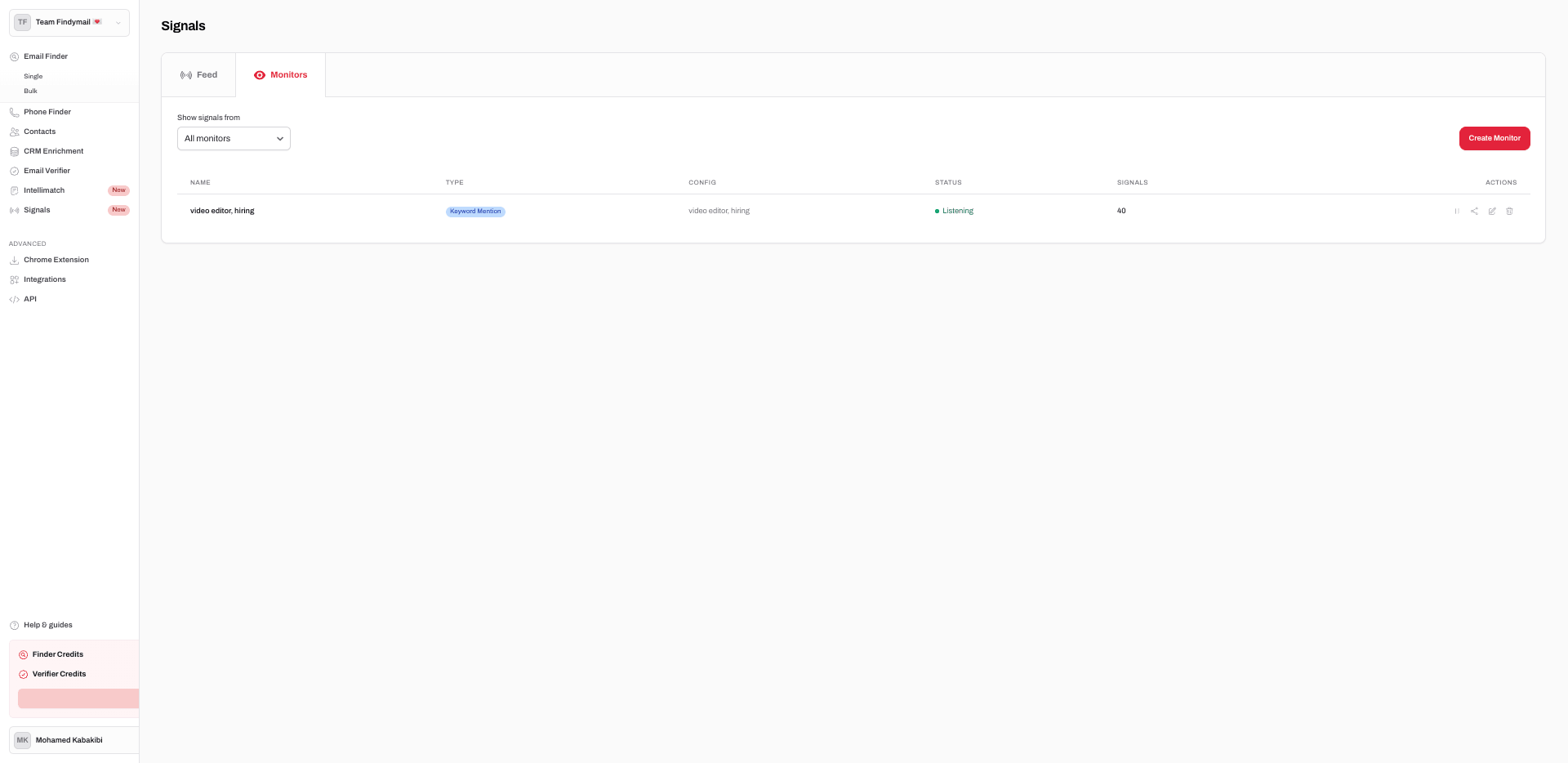
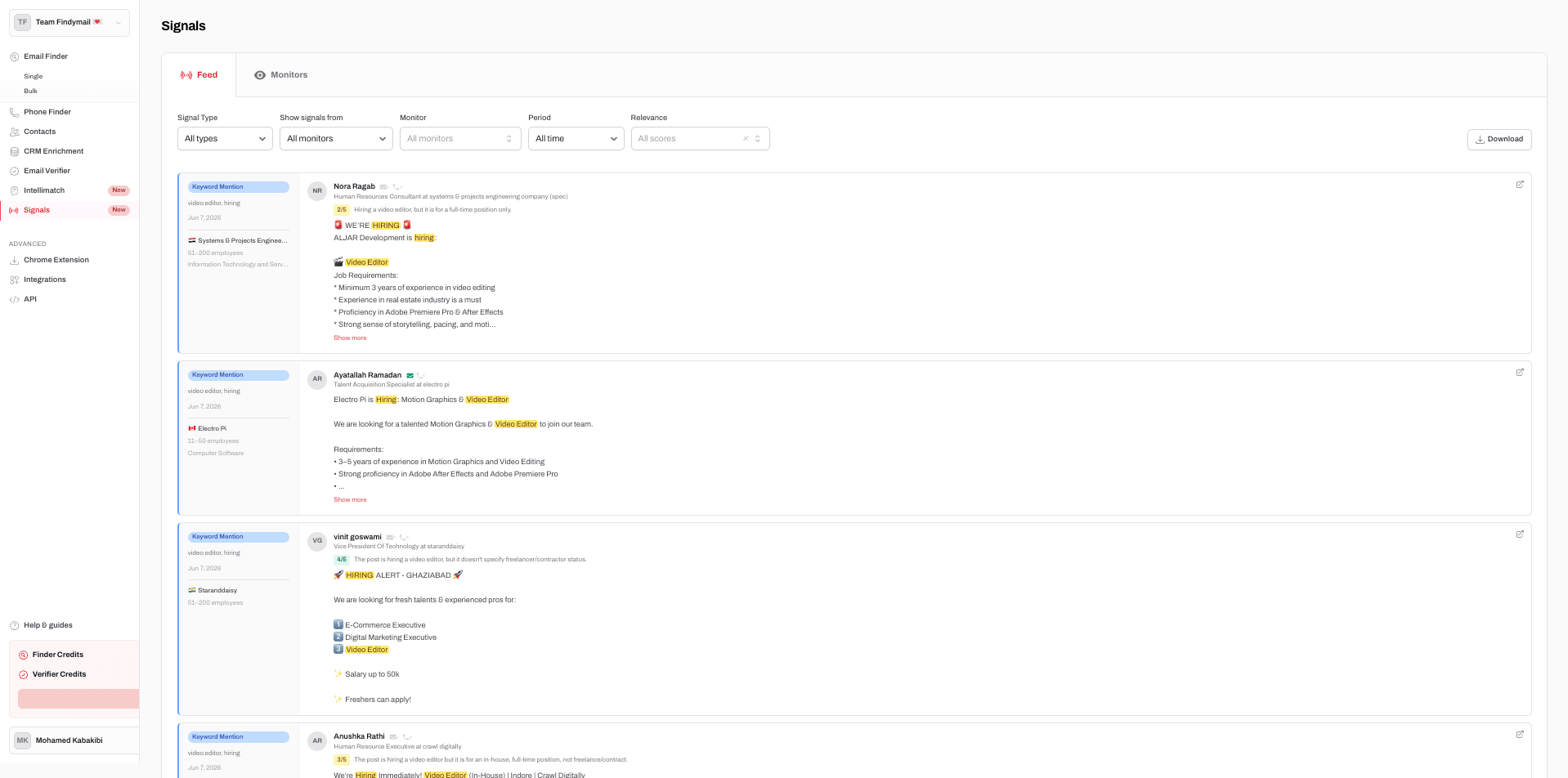
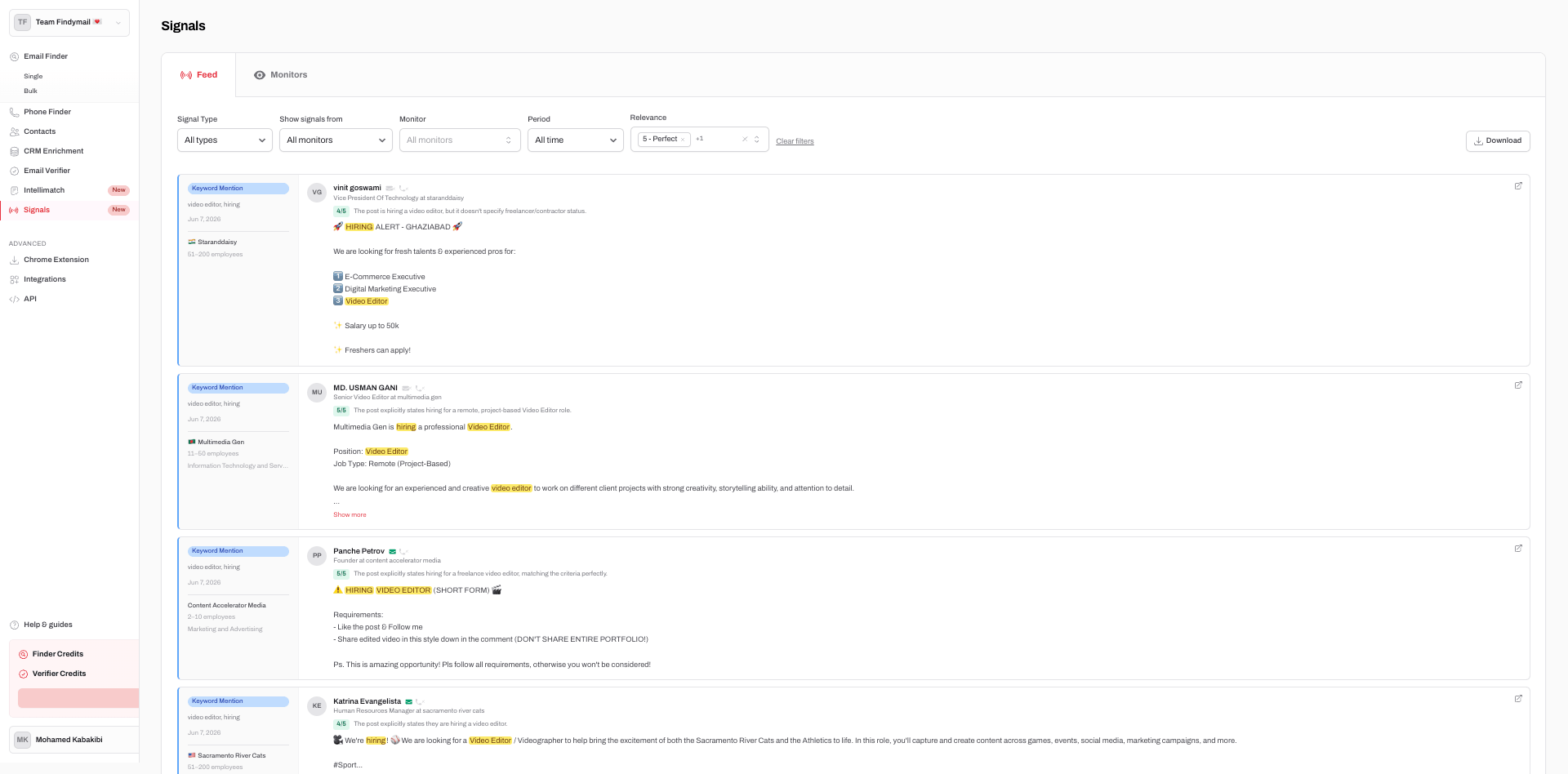
Once the monitor is live the Feed tab fills up. Each signal shows:
Click to enlarge
Click to enlarge
In a test monitor for "video editor" and "contract," 40 signals came in over two days. Filtering to 4s and 5s cut it down to the ones actually worth reaching out to.
A post asking for a video editor today is a dead lead by next week. Someone else already replied. I check the feed in the morning and reach out the same day.
I ran the manual version for about a week first. It worked but took 20-30 minutes a day and I'd sometimes miss a lead because I checked too late. So I wired up the automation. Now emails go out the moment a signal comes in, whether I'm at my desk or not.
The tool: n8n. No-code automation, free to self-host.
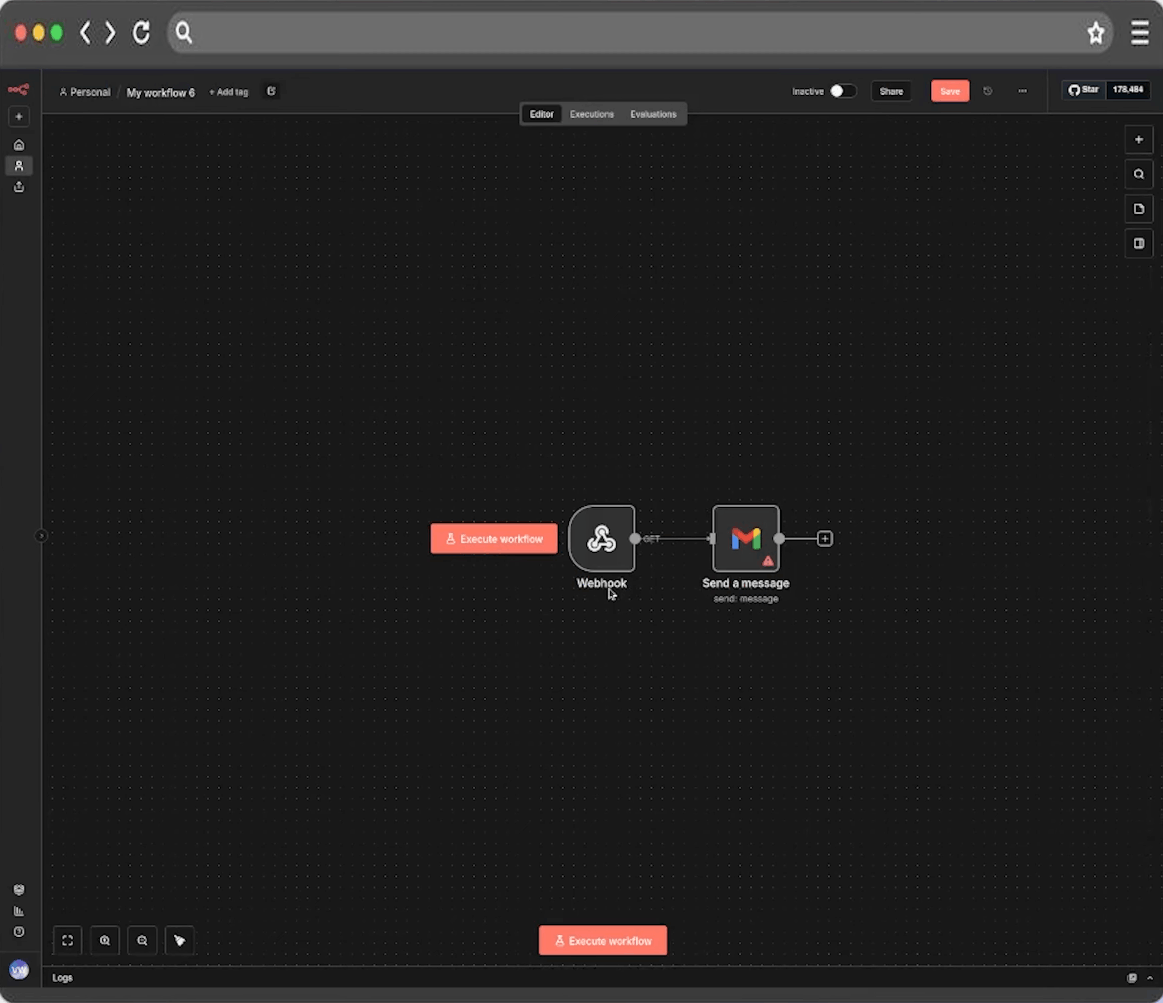
Add a Webhook node to a new workflow. Copy the URL it gives you.
Click to enlarge
Click to enlarge
Go back to your monitor's Delivery step and paste the URL. Every new signal will now be sent to n8n as JSON with all the lead data: name, company, email, post text, AI score.
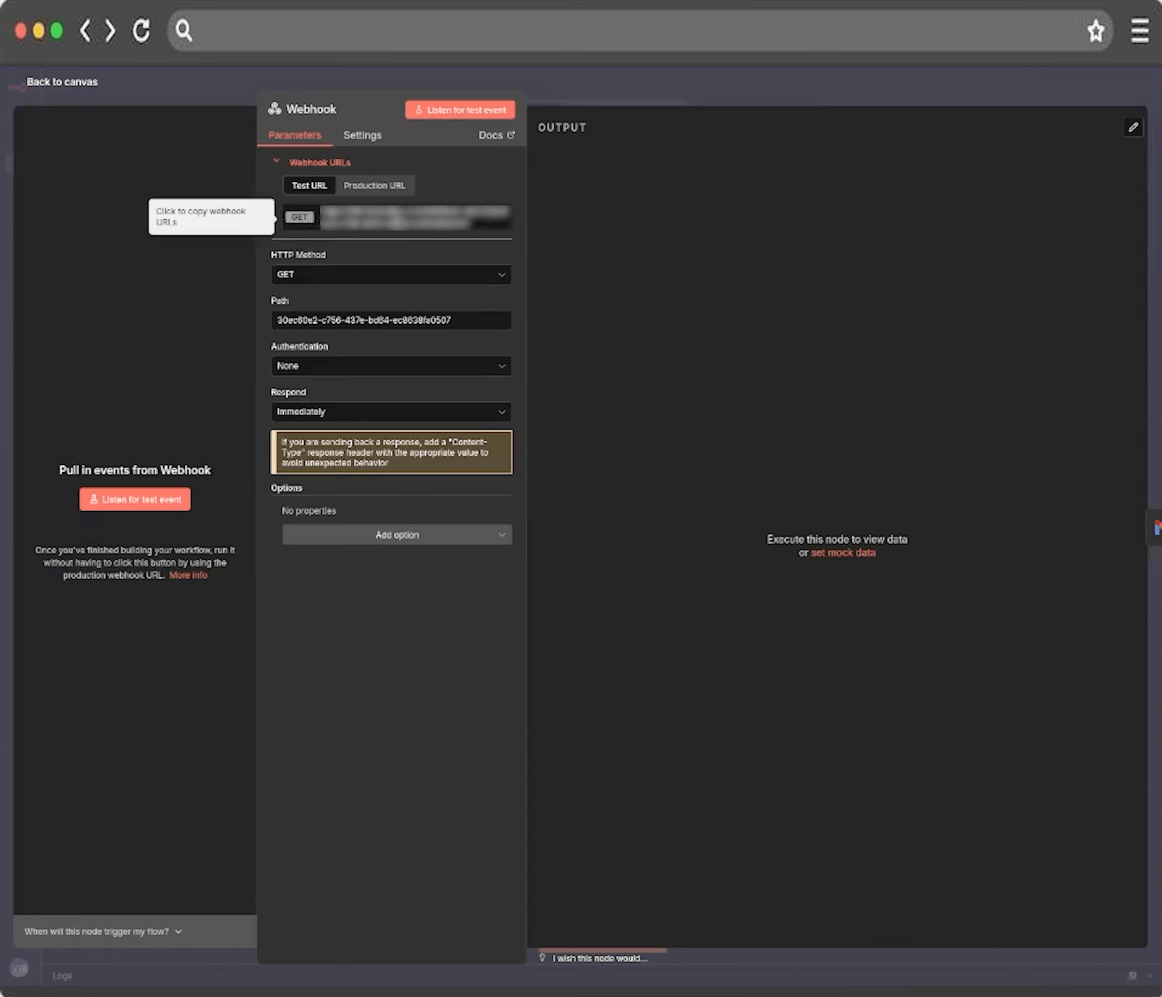
Connect a Gmail node to the webhook:
The email doesn't need to be clever. The signal does most of the work. Something like:
Click to enlarge
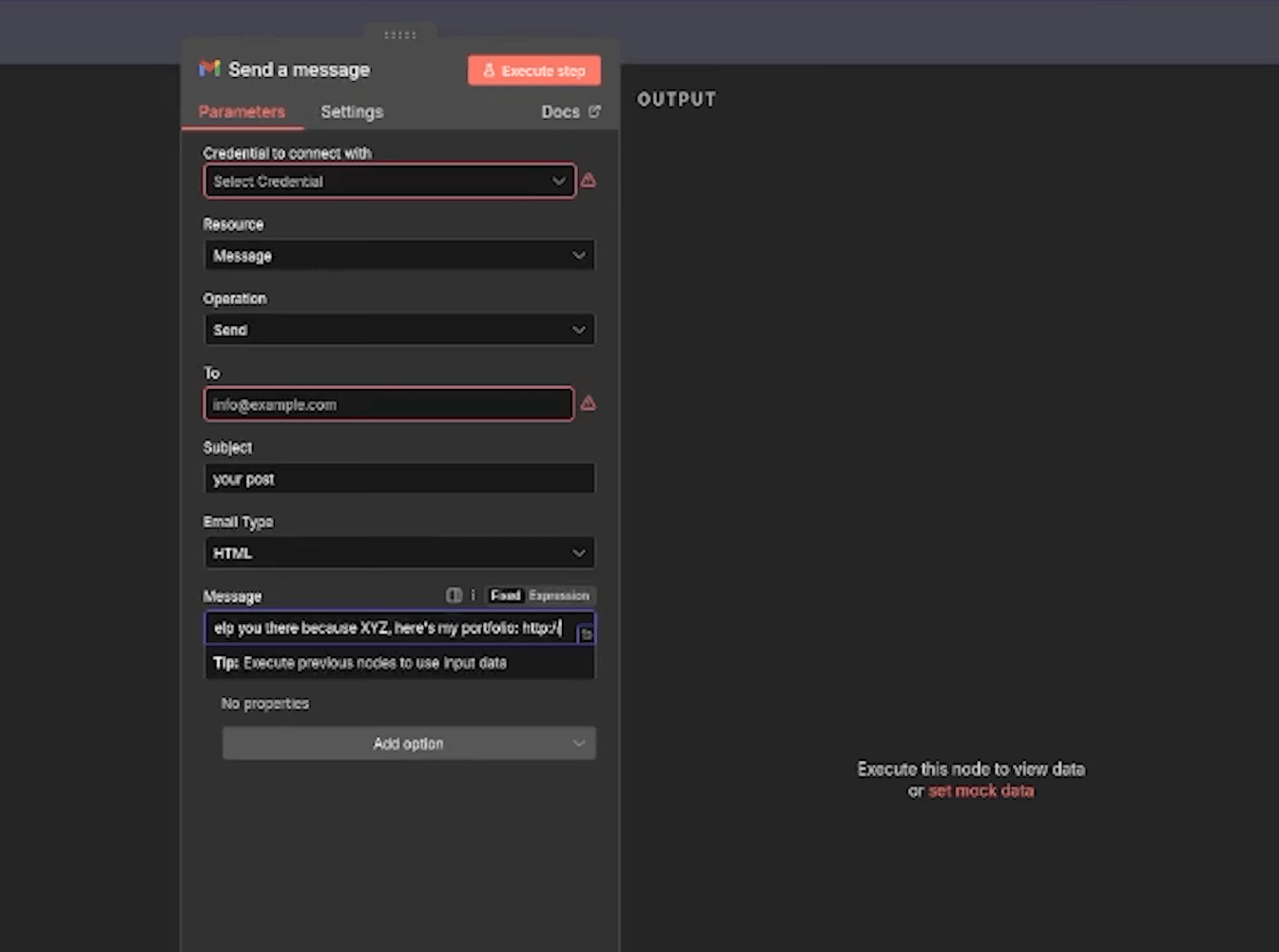
Click to enlarge
Turn it on. Every new signal triggers an email automatically.
The system works because the roles are clean. Findymail finds who to talk to and why you should reach out right now. n8n handles the volume. I handle the conversations that go somewhere.
Hope this helps!
Try Findymail for free
Set up your first Signals monitor in 10 minutes. Free trial includes your first 300 leads.
Get started free →