
More data providers doesn't always mean better data. Most teams build their waterfall enrichment setup assuming that stacking more sources automatically improves coverage and accuracy. In practice, that approach often leads to higher costs, weaker verification, and data that looks complete on paper but underperforms in the field.
In this guide, we'll break down what waterfall enrichment actually is, why so many setups fall short, and which tools are worth using today.
Most waterfall setups juggle multiple providers to compensate for weak verification. Findymail's proprietary algorithm delivers highly accurate, verified contact data from a single source, so you get better results without the overhead. Your first 10 credits are on us.
What Is Waterfall Enrichment? Waterfall enrichment is a B2B data strategy that runs leads through multiple data providers in a defined sequence to maximize find rates while minimizing wasted credits. When configured correctly, it improves coverage, controls costs, and helps teams build more complete prospect profiles.
Why Most Teams Get It Wrong:
1. Stacking too many providers without a clear sequencing strategy
2. Prioritizing coverage over data accuracy
3. Skipping proper email verification after enrichment
4. Higher costs, false positives, and deliverability issues as a result
Best Practices for Waterfall Enrichment:
1. Limit the number of providers in your sequence
2. Prioritize quality-first sequencing over maximum coverage
3. Monitor find rates vs. bounce rates to measure true performance
4. Always pair enrichment with real email verification
Best Waterfall Enrichment Tools:
1. Clay — Best for building flexible, multi-provider waterfall sequences with no-code automation.
2. Apollo — Best for teams that want a large built-in database combined with enrichment capabilities.
3. FullEnrich — Best for teams that want a dedicated waterfall enrichment tool without the complexity.
4. lemlist — Best for teams that want enrichment and cold outreach combined in a single platform.
What Is Waterfall Enrichment?
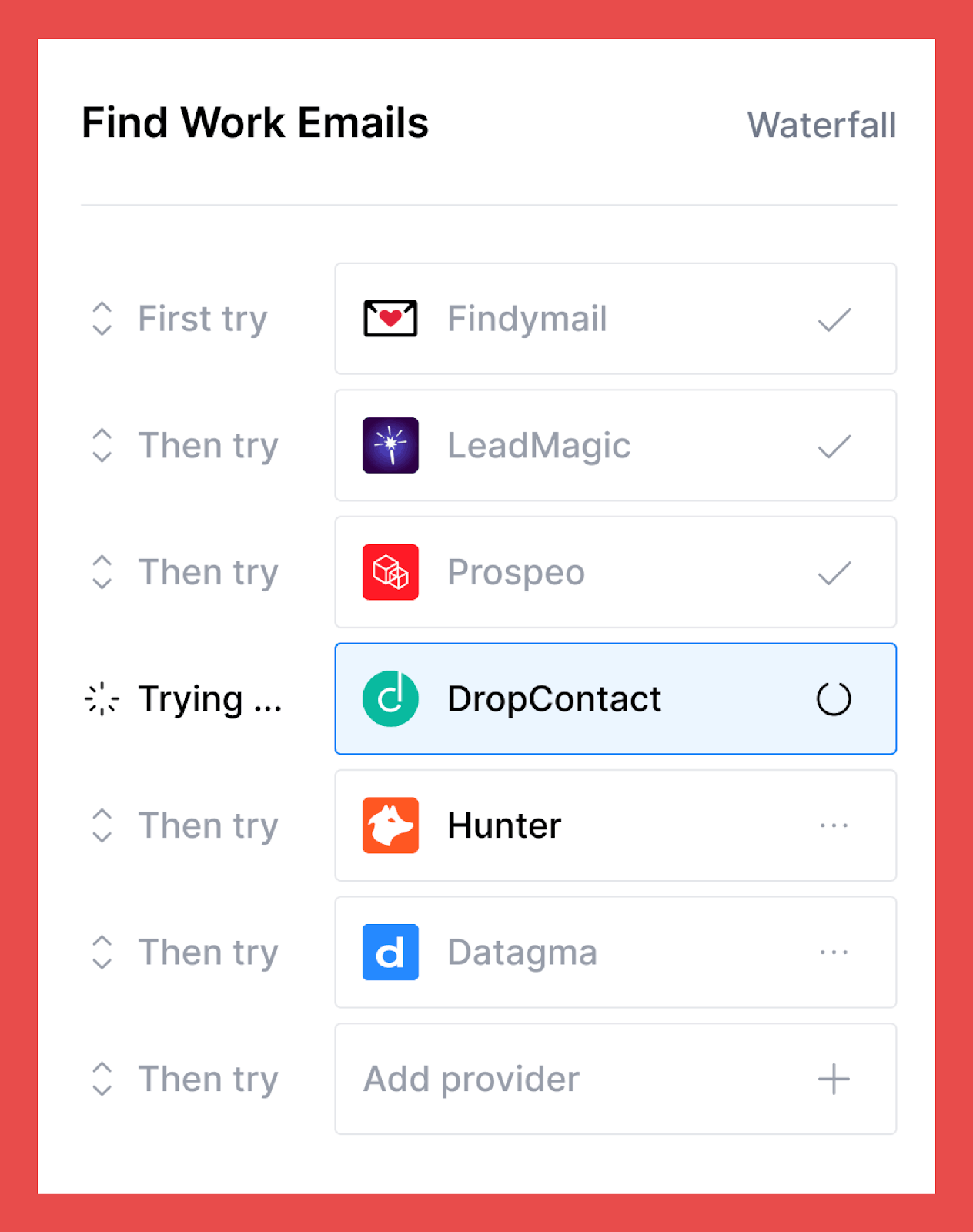
Waterfall enrichment is a data enrichment method that uses multiple data providers in a sequence to find and verify missing information (like B2B email addresses, phone numbers, and company data).
The goal isn’t just to find more data, but to improve both coverage (fewer missing fields) and accuracy (lower risk of bad data).
How Waterfall Enrichment Works (Step-by-Step)
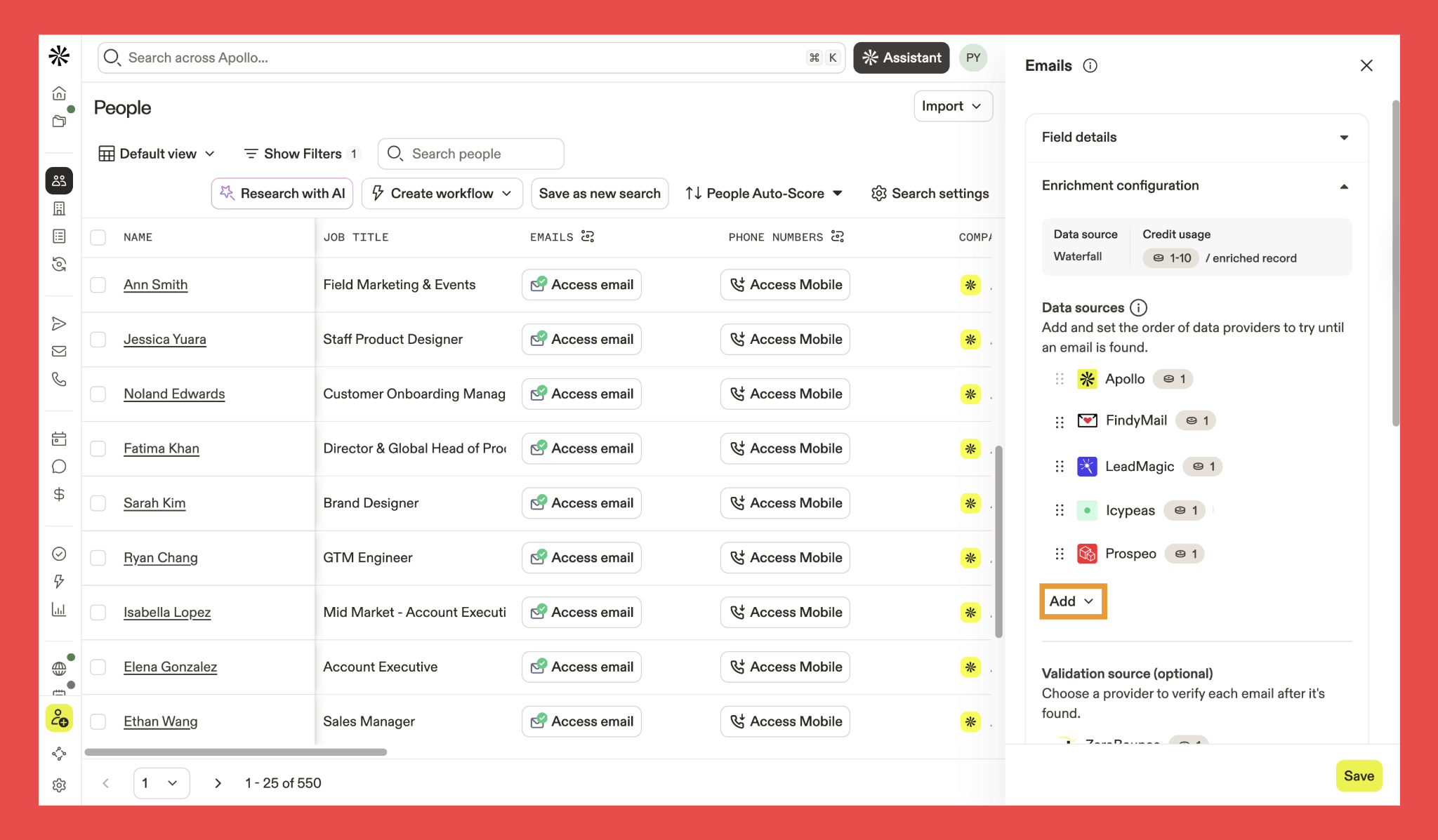
Various data providers offer waterfall enrichment, and thankfully, the core process works in a similar way across tools. At its heart, waterfall enrichment is a step-by-step method that improves data by layering in insights from multiple third-party sources.
Here’s how the process typically works:
- Define your parameters: You start by identifying the information you want to find. This is usually a name and company domain, a LinkedIn URL, company details, or existing contact data that needs enriching.
- Arrange your providers: What most vendors don’t emphasize is that order matters (more on that later). The sequence of your providers can influence both coverage and accuracy, so how you structure the waterfall shouldn’t be random.
- Provider #1 search: Your primary data provider is queried first to fill in the missing contact or company information.
- Move down the waterfall: If the first source can’t return a reliable match, the system moves to a secondary provider, then a third, and so on, continuing this sequence until the data gaps are filled or all designated sources have been exhausted.
The “waterfall” analogy comes into play because it describes the process’s downward flow, layer by layer, with each provider adding another opportunity to improve and confirm data completeness and accuracy.
The Benefits of Waterfall Enrichment
When set up properly, waterfall enrichment can dramatically improve data quality. The payoff? More effective outreach, fewer bounced emails, more calls that actually connect, and a pipeline that feels consistent instead of unpredictable.
Of course, like any system, the results depend on how it’s built and validated. But when done right, the advantages are clear:
- Increased data coverage: Different providers excel in different areas. Some are stronger in the US, others in Europe, and others in specific industries or company sizes. Rather than sticking to the limitations of one data provider, layering these sources together reduces missing contacts and expands your reach across regions and markets.
- Lower bounce rates (when verification is strong): Providers don’t just vary in coverage, they vary in verification quality too. When robust validation is part of the waterfall, risky emails are filtered out before they ever reach your databases.
- Access to multiple data sources through one system: Instead of juggling pricing plans, logins, and credits across a stack of tools, waterfall enrichment consolidates access to multiple providers into a single workflow (at a premium price might I add), saving time and operational overhead.
What Most Tools Don’t Tell You About Waterfall Enrichment (And How to Do It the Right Way)
Waterfall enrichment sounds great on paper: add more providers, get more data. Everybody wins… right? Not exactly.
Here’s the part most vendors conveniently gloss over: not all data sources, and especially not all verification systems, are built the same.
And that’s where things quietly start to go wrong.
The Truth About Waterfall Enrichment
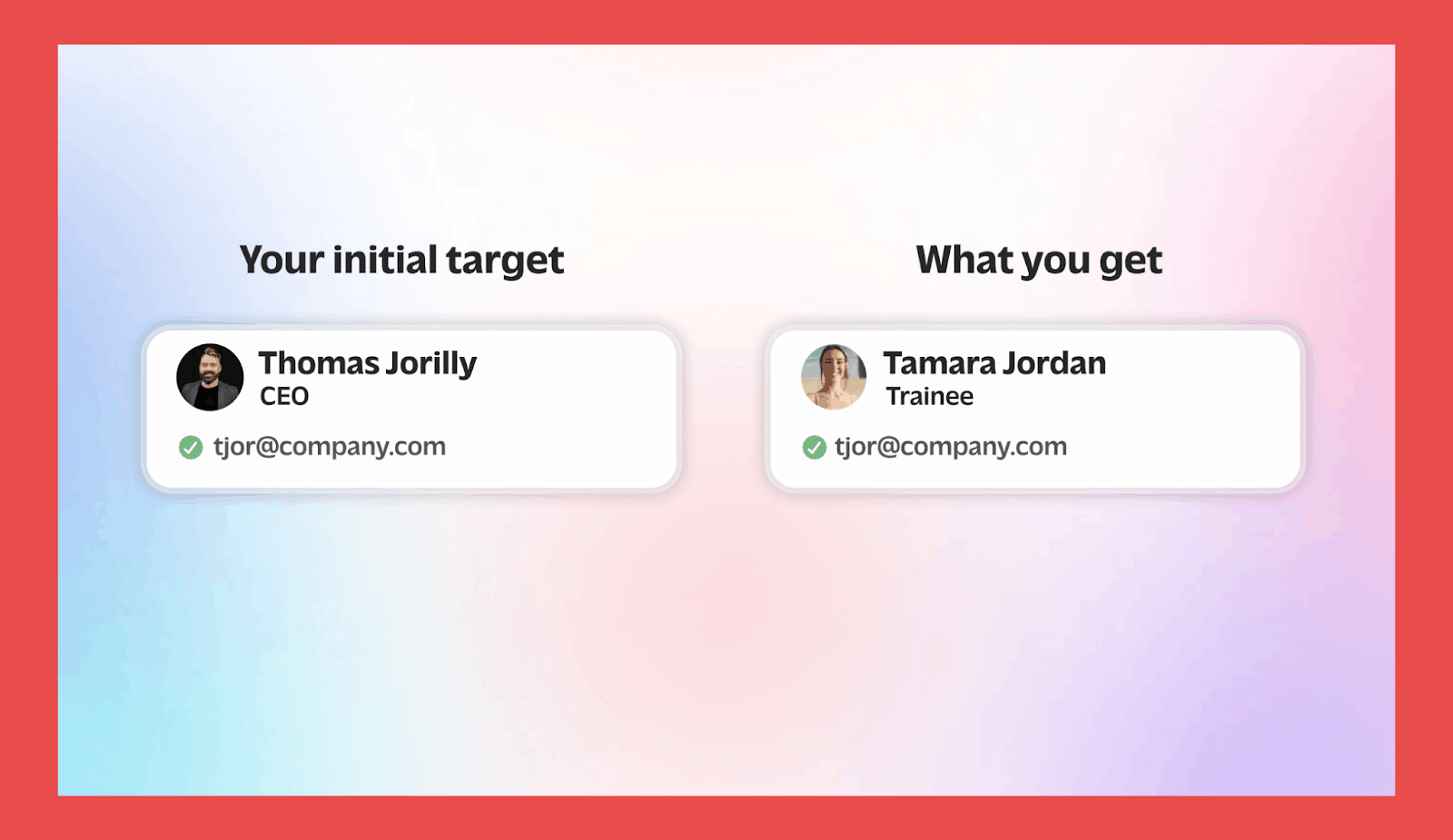
If a tool with weak verification sits at the top of your waterfall, you’ll get a flood of data that look like wins but come with hidden costs. You end up paying for contacts that bounce, hurt deliverability, or turn out to be the data equivalent of “close enough.”
Adding more providers isn’t the fix, either. Many tools use similar verification logic and share the same blind spots, especially around catch-all domains. Instead of filtering risky emails out like they should, they politely label them “risky”… and still charge you.
That’s how costs spiral. Your waterfall gets bigger, your CRM gets fuller… but your usable data barely moves. Without strong validation at the top, you’re not building a smarter system, you’re just multiplying the same weakness with extra steps.
And it’s not just a technical issue. Even some of the strongest compliance teams out there still get uneasy about waterfall enrichment when verification standards aren’t airtight.
Why You Should Put Findymail at the Top of Your Waterfall
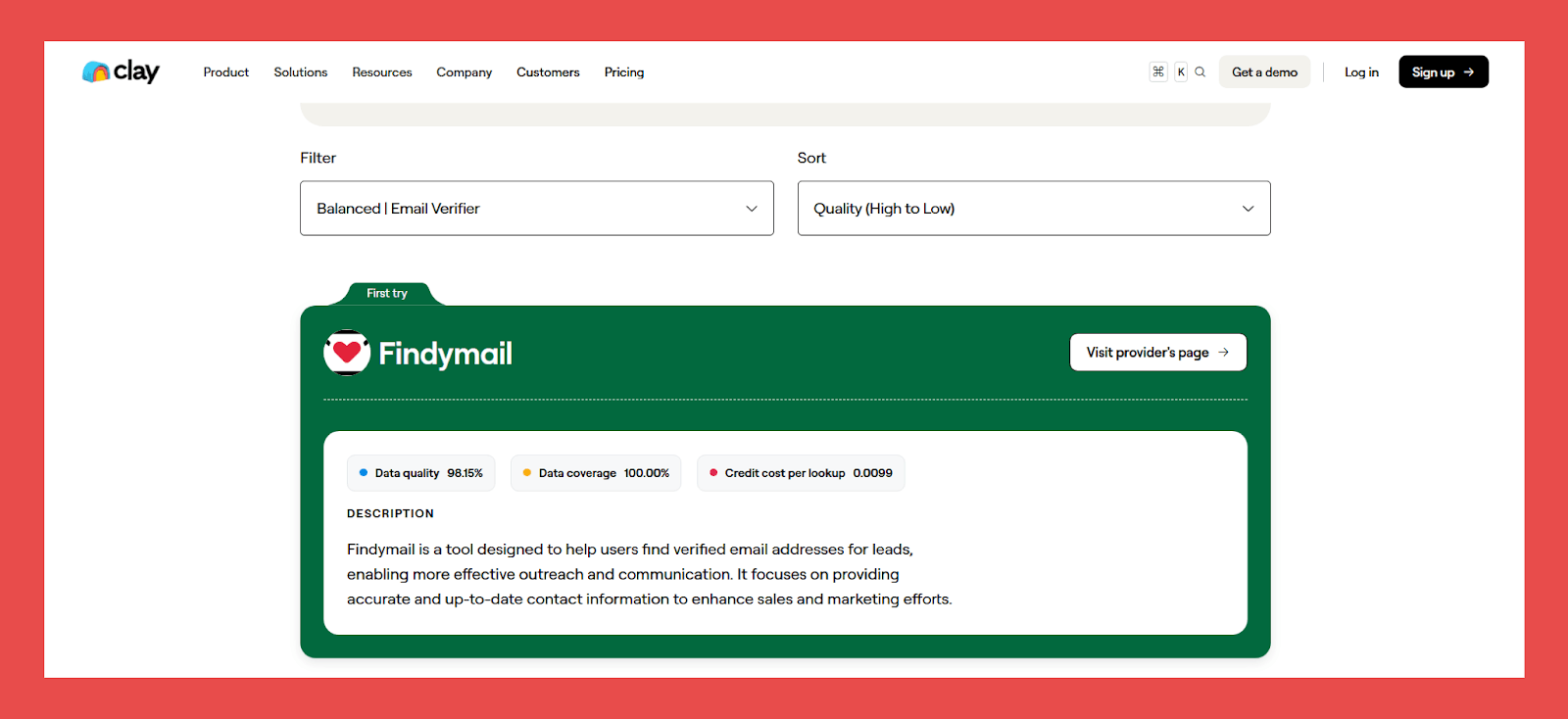
We know that we’ve been pretty honest about waterfall enrichment not being perfect. But let’s be real, it’s not going anywhere. There’s a time, a place, and a lot of workflows where people will still use it. So if you are running a waterfall, here’s our advice: put Findymail at the top. Figuratively and literally.
If you want to save credits when using Findymail in your waterfalls, integrate via our API instead of purchasing through Clay. You’ll get the same verified data at a lower direct rate, which adds up to meaningful savings as your usage scales.
We mentioned earlier what happens when a provider with weak verification leads the sequence, you get volume, not quality. That’s where Findymail comes in. Our verification goes well beyond surface-level checks. We validate data with our proprietary algorithm in real time and run that data through multiple layers: syntax validation, DNS records, SMTP server checks, catch-all detection, and disposable email filtering.
And here’s the part people really like about us: we don’t charge you just because an email was “found.” If it can’t be verified to a safe standard, we don't charge you. Simple.
Obviously, this means fewer emails on paper. But it also means you can actually hit send without nervously watching your sender reputation flatline. And it’s not just us saying it, platforms like Clay rank Findymail among the top tools for non–catch-all email verification and for finding work emails in Europe.
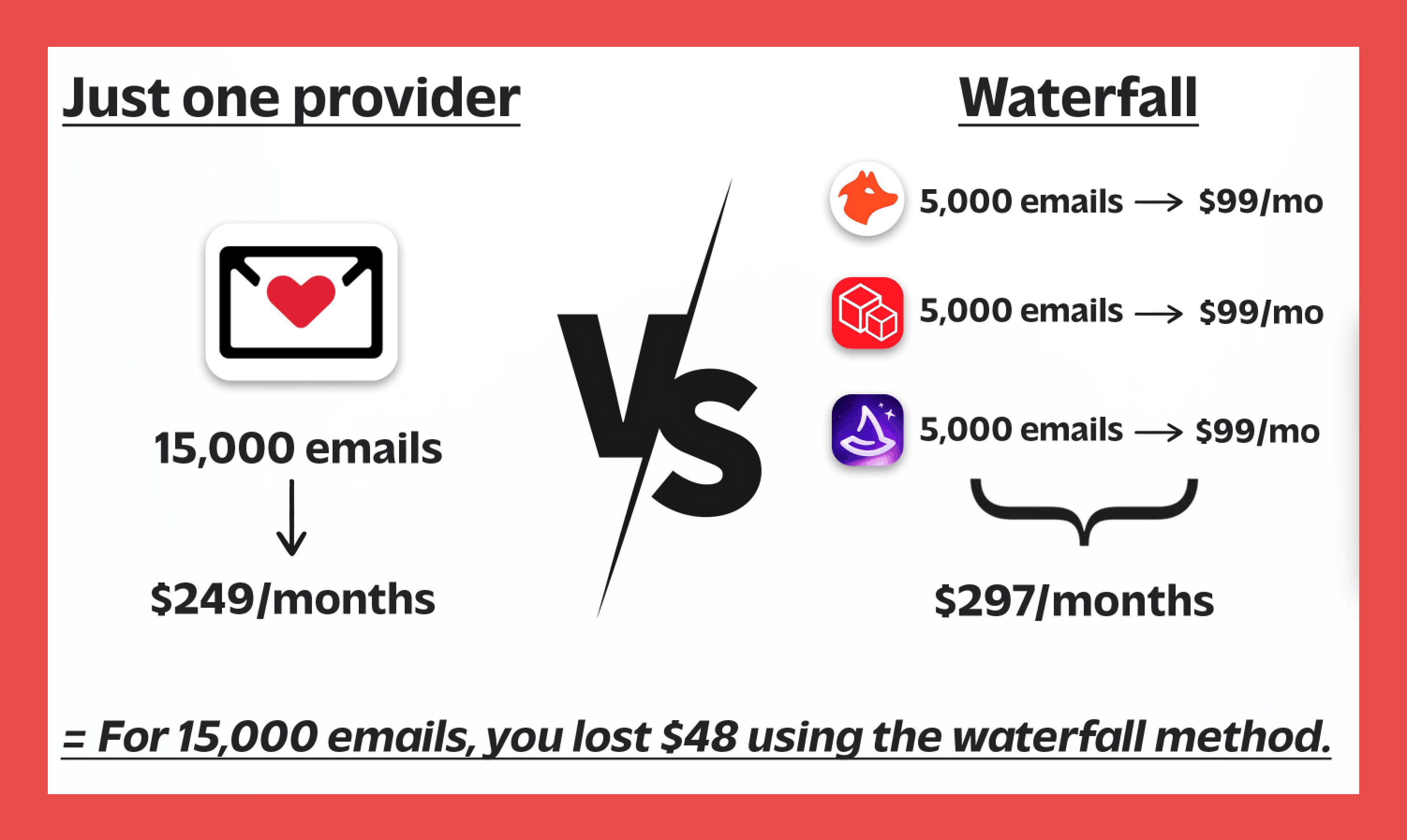
If you want real bang for your buck, one highly reliable data provider usually beats stacking a crowd of “maybe” tools. Less noise, fewer false positives, and data you can actually use. Not just to admire in your database.
Still skeptical? Let us prove it. We’ll spot your first 10 emails, and you can judge the quality yourself.
Best Waterfall Enrichment Tools
Alright, this is the part you actually came for. Below, we break down some of the top tools used in waterfall enrichment workflows: what they’re great at, where they struggle, and how they fit into a modern data stack.
1. Clay
Overview:
We might be a tiny bit biased… but Clay is a certified data-ops powerhouse. It’s less of a simple “sales tool” and more of a command center for enrichment and prospecting workflows. By bringing together 150+ data providers in one place, Clay helps teams avoid juggling multiple subscriptions while maximizing coverage through smart provider sequencing.
Clay really sits in a league of its own when it comes to turning sales intelligence into action at scale. It’s especially powerful for teams looking to use AI to grow lead generation without stitching together a dozen disconnected tools.
Key Features:
- Claygent (AI research assistant): An AI agent that finds unique company and contact data from across the web. It can read websites, complete forms, and surface insights traditional databases miss.
- Data Enrichment: Pulls from 150+ data sources to fill in missing details like company size, tech stack, social data, and verified contact information.
- Custom waterfall configuration: Build your own enrichment waterfalls by choosing which providers run first, helping balance coverage, cost, and quality.
- Sales outreach tools: Built-in outbound features support automated emails, follow-ups, LinkedIn touches, and AI-powered personalization based on each prospect’s data.
- CRM & workflow integrations: Syncs seamlessly with tools like HubSpot, Salesforce, and Zapier so your enriched data flows exactly where it needs to go.
Ratings:
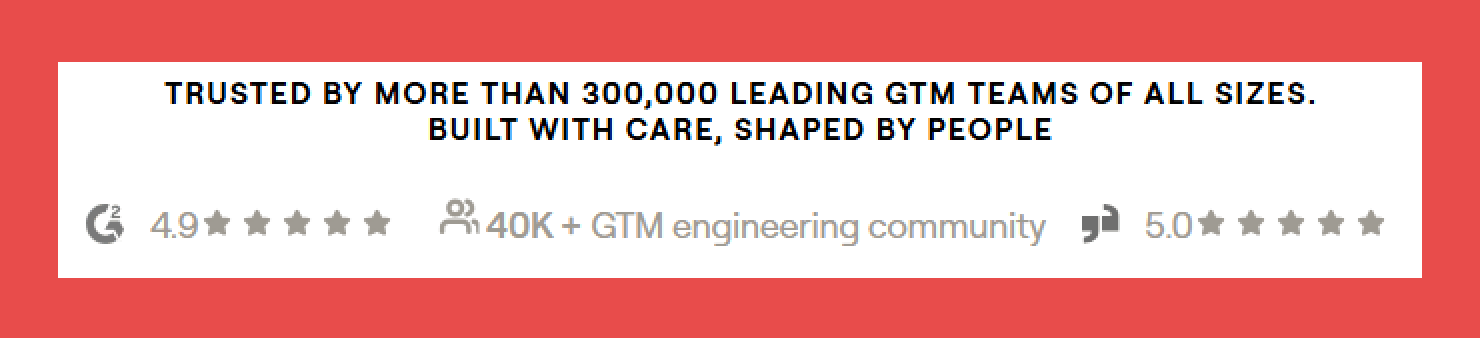
- G2: 4.8/5 (183)
- Capterra: N/A
Pros:
- Findymail is one of Clay’s premium data providers, giving teams access to highly verified contact data within workflows.
- Built-in sequencing lets you run personalized outreach directly from enriched tables.
- Powerful AI automation tools (like Sculptor and Claygent Builder) allow users to describe workflows in plain English and have Clay build them.
Cons:
- Steep learning curve, especially for beginners.
- Pricing can be high for smaller teams.
- Credit usage adds up quickly if workflows aren’t optimized.
Pricing:
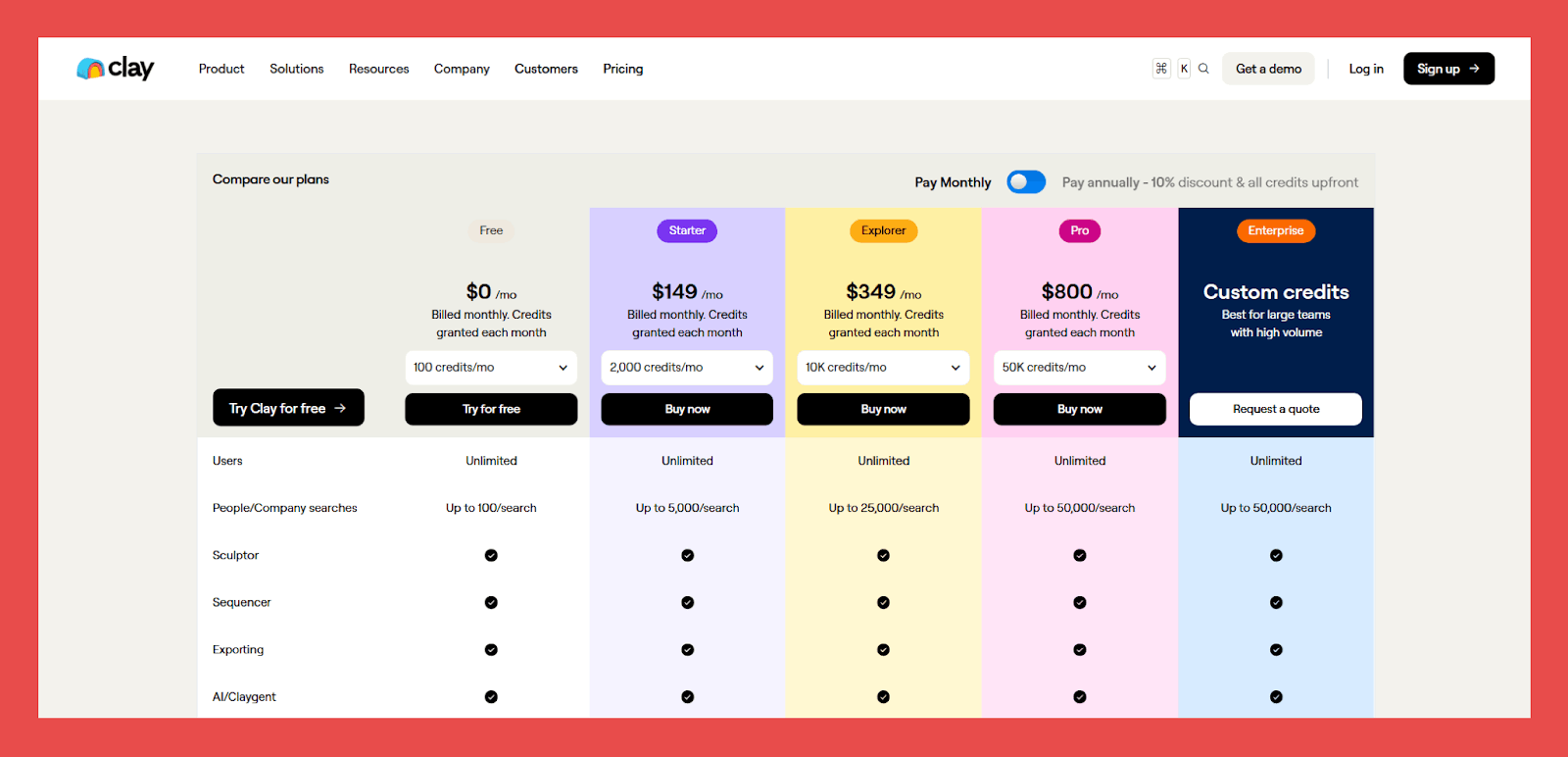
- Free: $0/mo – Up to 100/searches.
- Starter: $149/mo – Up to 5,000/searches.
- Explorer: $349/mo – Up to 25,000/searches.
- Pro: $800/mo – Up to 50,000/searches.
- Enterprise: Custom pricing – Best for large teams with high volume and full feature access.
2. Apollo
Overview:
Much like Clay, Apollo is a bit of a chameleon in the sales intelligence space. On one side, you get access to one of the largest B2B contact databases in the world. On the other, you get the tools to actually do something with that data through built-in prospecting and automation features.
Apollo.io is a versatile platform used by both sales and marketing teams to streamline and automate inbound and outbound efforts — all from one system.
Key Features:
- Expansive B2B database: Access a massive database of 275M+ contacts and 60M+ companies, making it a strong starting point for prospecting.
- AI-powered lead qualification: Score prospects based on fit, behavior, engagement history, and likelihood to convert. Teams can also define their own scoring rules.
- Outreach engine: Launch email sequences, schedule tasks, and trigger actions based on engagement. Campaigns can combine email, LinkedIn, and calls, with a built-in dialer included.
- Enrichment & CRM sync: Customize how enrichment runs within your workflows, plus native integrations with Salesforce, HubSpot, Zoho, and Pipedrive for real-time sync of contacts, tasks, and activity.
Ratings:
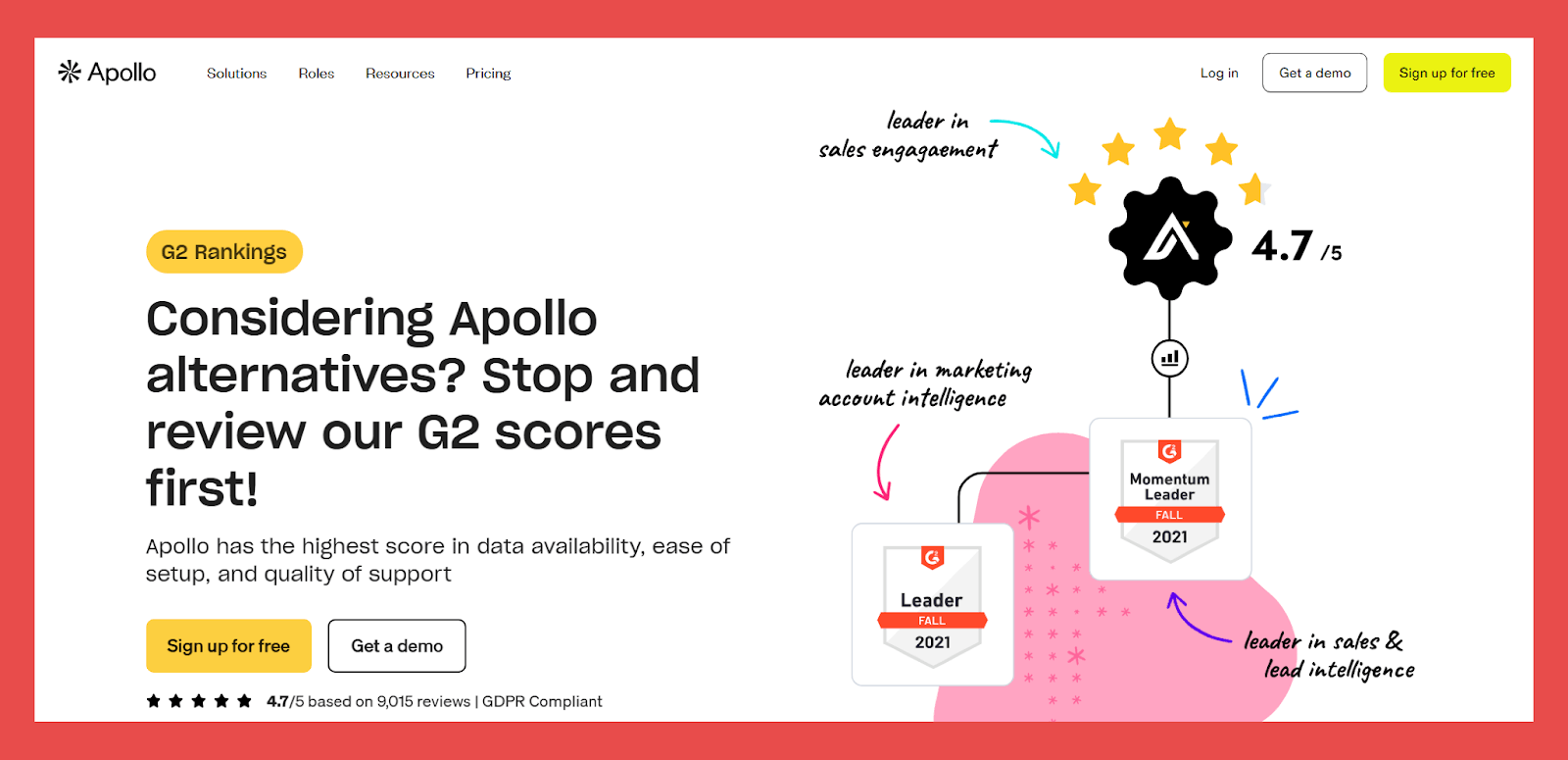
- G2: 4.7/5 (9,398)
- Capterra: 4.5/5 (383)
Pros:
- Can be integrated with Findymail to add an extra layer of email verification and protection.
- Users consistently praise the size and depth of the contact database for prospecting at scale.
- Clean interface and intuitive navigation make building and managing outreach campaigns relatively straightforward.
Cons:
- Initial setup and onboarding can feel complex for new users.
- The free plan is very limited, making it hard to use meaningfully without upgrading.
Pricing:
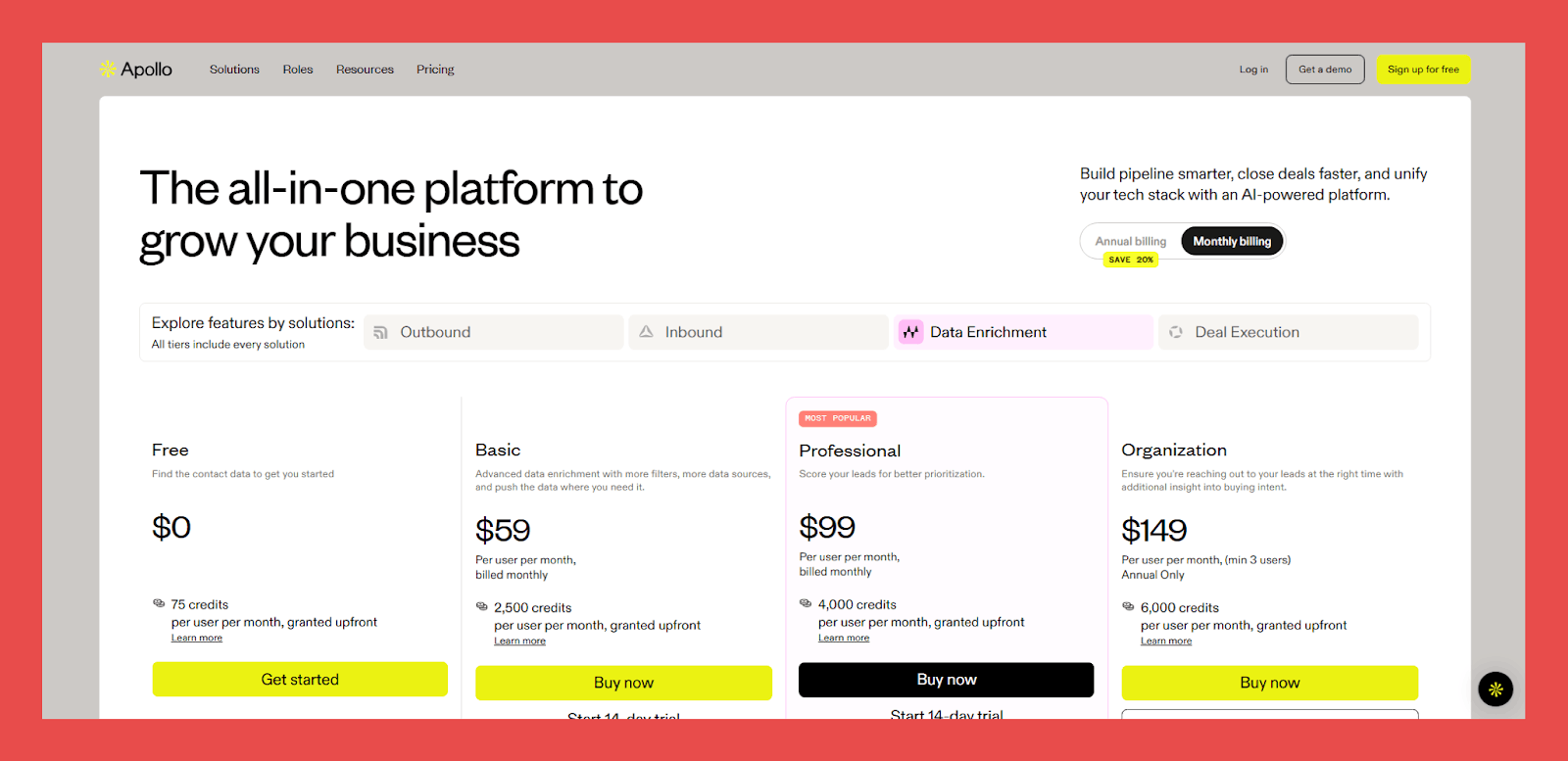
- Free: $0/user/mo – 75 credits.
- Basic: $59/user/mo – 2,500 credits.
- Professional: $99/user/mo – 4,000 credits.
- Organisation: $59/user/mo – 6,000 credits.
3. FullEnrich
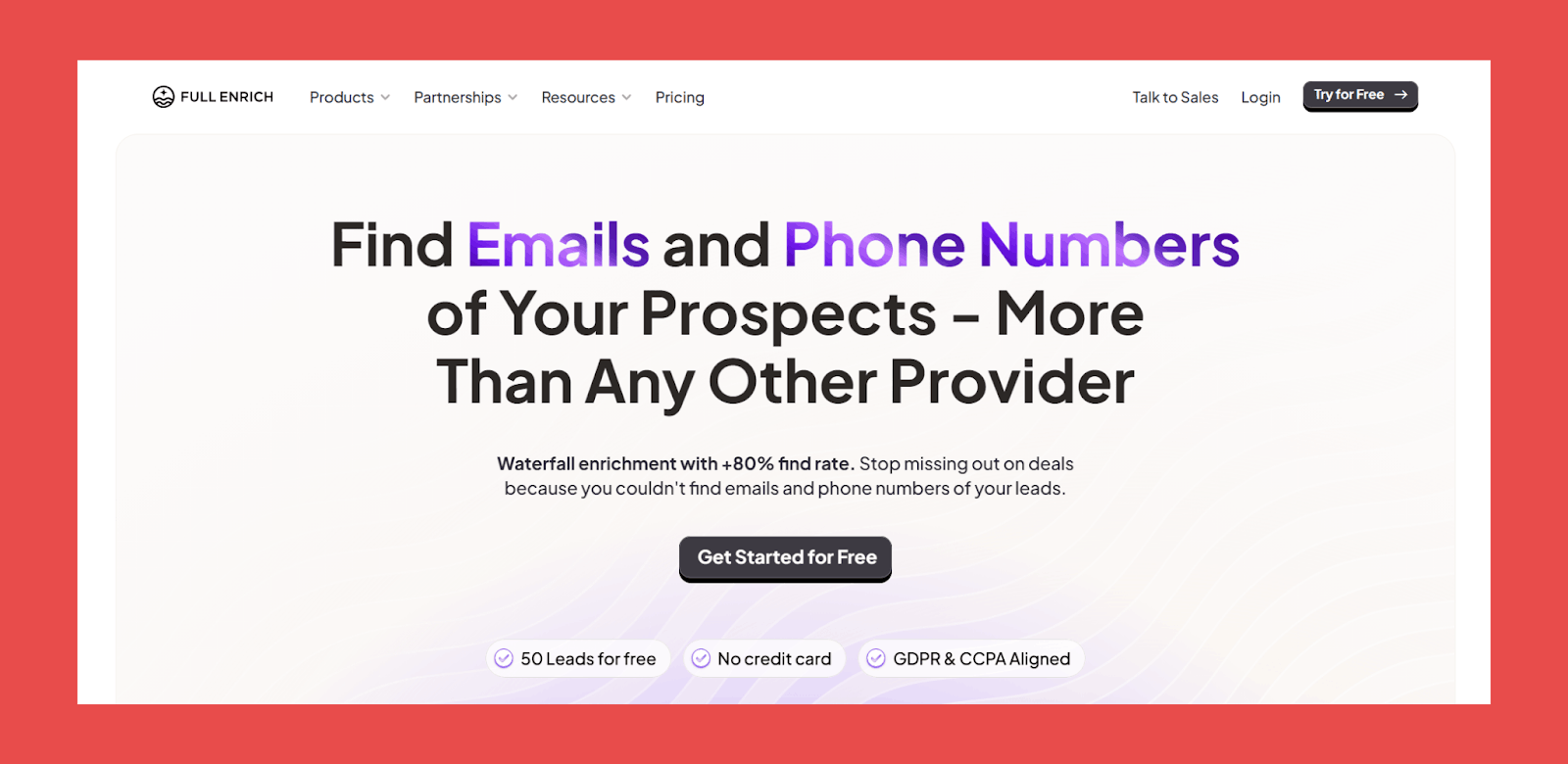
Very waterfall-friendly by design, FullEnrich is built specifically for multi-provider enrichment in a single flow. With connections to 15+ premium data vendors, including Apollo, Clearbit, and Hunter, it reports find rates of up to 90% for professional email addresses.
That said, since discontinuing its Chrome extension in June 2024, the tool hasn’t felt quite the same — especially for teams that relied heavily on LinkedIn and Sales Navigator workflows.
Key Features:
- Waterfall enrichment: Queries 15+ premium vendors in parallel to improve coverage across regions and roles.
- Reverse email lookup: When all you have is an email address, FullEnrich can surface the person behind it (including role, company, LinkedIn profile, and sometimes a phone number).
- Integrations & API: Offers API access and integrations with popular sales and data tools to support custom enrichment workflows.
Ratings:
- G2: 4.8/5 (158)
- Capterra: N/A
Pros:
- Queries multiple providers simultaneously, increasing the likelihood of finding contact data.
- Confidence scoring adds transparency, helping teams assess how reliable each result is.
Cons:
- The LinkedIn Chrome extension was shut down in June 2024, removing direct enrichment from LinkedIn profiles and Sales Navigator — a major workflow loss for many users.
- Data quality isn’t perfect. Even with 15+ sources, some contacts aren’t available or are outdated. Confidence scores help, but occasional bounces still happen.
Pricing:
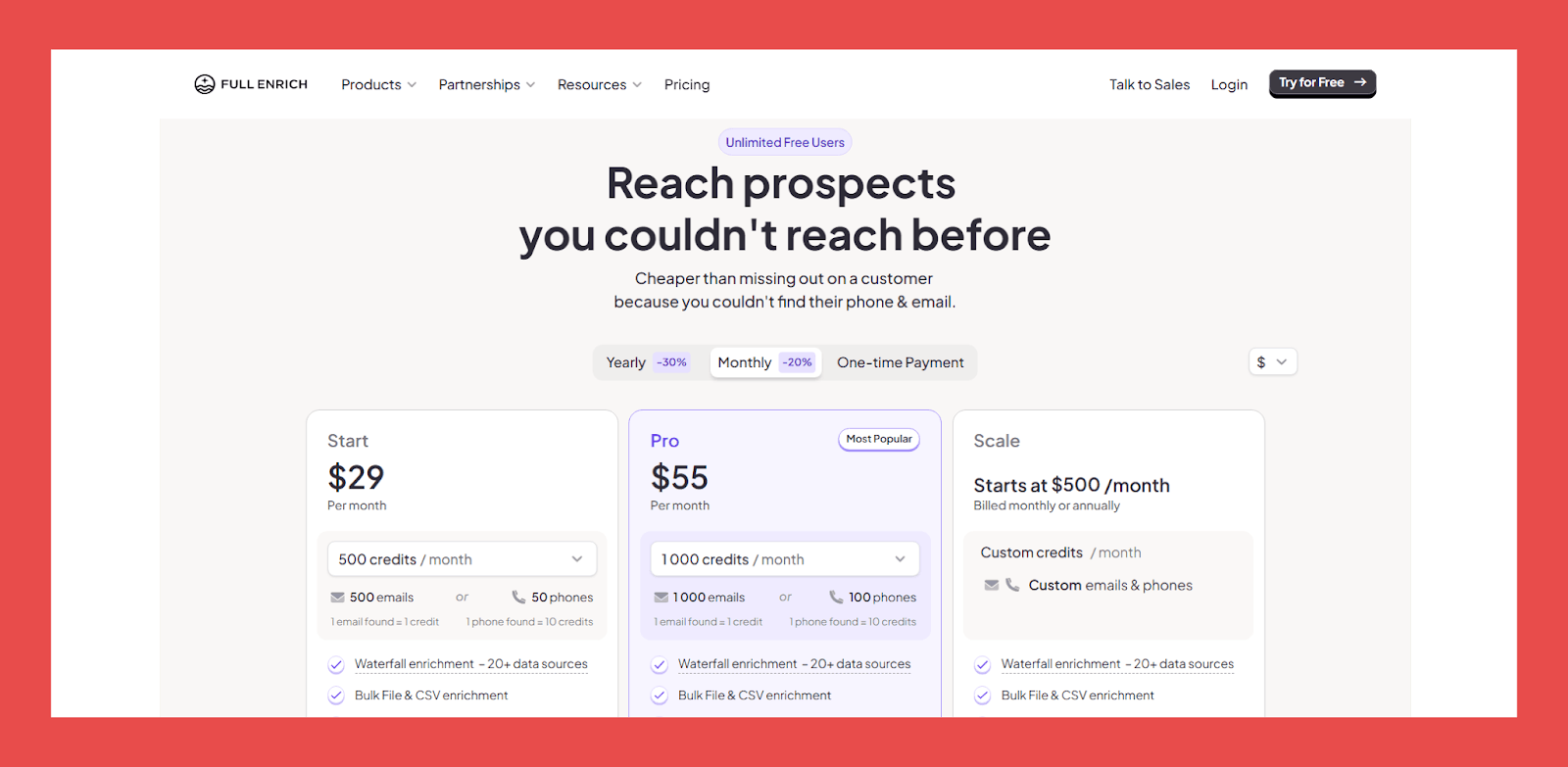
- Start: $29/mo – 500 emails or 50 phones.
- Pro: $55/mo – 1000 emails or 100 phones.
- Scale: $500/mo – custom emails and phone credits.
4. Lemlist
An outreach tool first and foremost, lemlist introduced waterfall lead enrichment to solve the data gaps many teams ran into with traditional lead generation and automation platforms. Instead of forcing users to bolt on extra tools, lemlist runs your data through up to eight leading providers and verifies results simultaneously.
This makes it a strong fit for teams that want to combine multichannel outreach with built-in enrichment. The system delivers solid verification rates with minimal setup, letting users focus more on campaigns and less on data plumbing.
Key Features:
- Personalized multichannel outreach: Build sequences that span email, LinkedIn, and calls, allowing you to reach prospects across multiple channels. Campaigns can be paced slowly over weeks or accelerated for faster follow-ups.
- Data & lead generation: Access a large database of 450M+ contacts and 63M+ companies to find and filter prospects that match your ICP.
- Deliverability optimization: lemlist includes Lemwarm, which sends emails through a network of 10,000+ users to improve domain reputation and reduce deliverability issues.
Ratings:
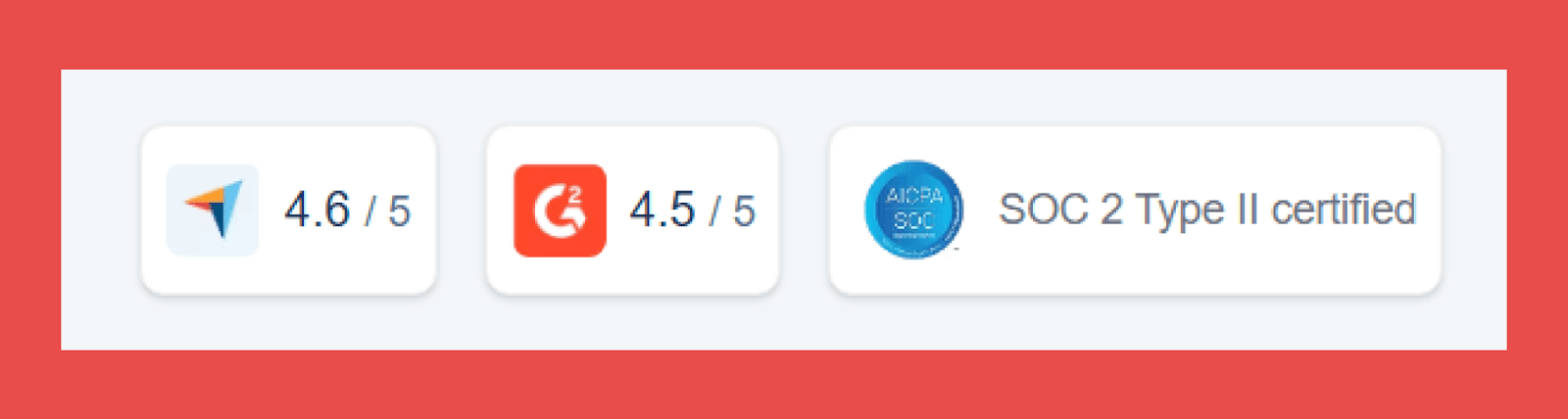
G2: 4.6/5 (1,195)
Capterra: 4.6/5 (386)
Pros:
- One platform handles enrichment, campaign creation, and outreach.
- Unused credits roll over to the next month, reducing wasted spend.
- Built-in email warm-up, domain credibility, and spam prevention tools.
Cons:
- Pricing can be high, especially for small teams and agencies, compared to single-purpose enrichment tools.
- The breadth of features means a steeper learning curve.
Pricing:
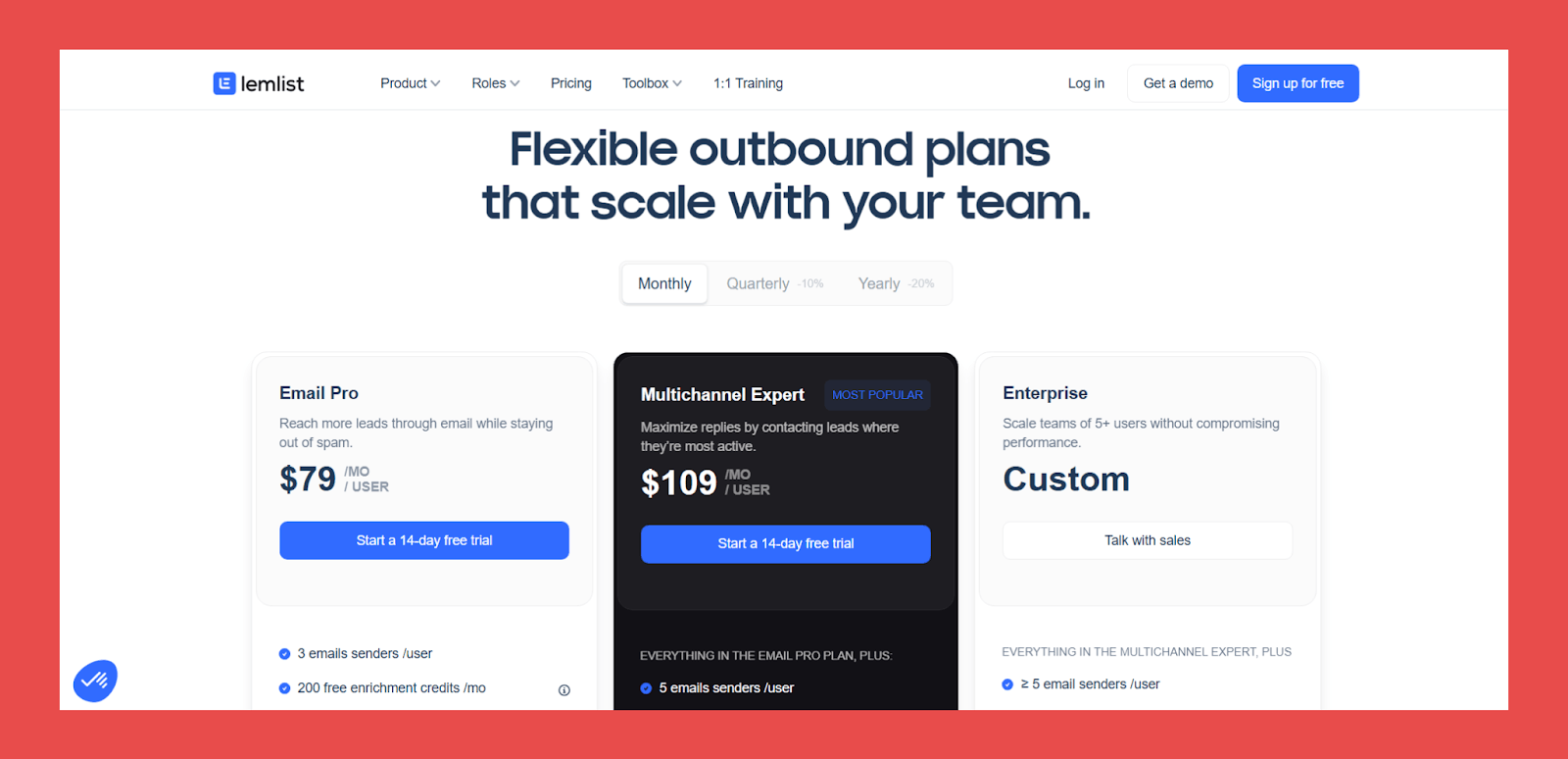
- Email Pro: $79/user/mo — 200 free emails or 50 phone numbers per month.
- Multichannel Expert: $109/user/mo — 300 free emails or 75 phone numbers per month.
- Enterprise: Custom pricing (annual, 5-seat minimum) — unlimited guest seats, higher enrichment allowances, custom roles, logs, dedicated onboarding, account management, premium support, advanced API access, and security features.
Should Waterfall Enrichment Become the Standard?
Waterfall enrichment can be incredibly effective, but isn’t the silver bullet we were hoping it to be. Most teams misuse it by stacking providers without clear sequencing or reliable verification, which leads to higher costs and shaky data.
The key is choosing the right providers and understanding how they complement each other. More sources don’t guarantee better results, quality, verification, and compliance matter far more. The future of B2B data is simple: one that's backed by strong verification.
Findymail’s proprietary verification engine ensures every email and phone number is accurate, deliverable, and safe to use. Plus, we'll give you the first 10 emails for free just so you can see the difference yourself.
FAQs About Waterfall Enrichment
What is waterfall enrichment in B2B sales?
Waterfall enrichment is the process of running leads through multiple data providers in a set order until valid contact data is found. Each provider only runs if the previous one fails, helping improve coverage while controlling costs.
Does waterfall enrichment reduce bounce rates?
It can. But only when paired with strong verification. Waterfall enrichment improves the chances of finding an email, but without proper validation, bounce rates can still stay high.
Is waterfall enrichment better than single-source enrichment?
Yes, in most cases. Single-source enrichment is limited by one database, while waterfall enrichment increases coverage by pulling from multiple providers. The key is using high-quality sources and the right sequencing.
How accurate is waterfall email enrichment?
Accuracy varies depending on the providers used and how results are verified. Well-built waterfalls can significantly improve find rates, but accuracy still depends on verification and data freshness.
Do I still need email verification?
Absolutely. Waterfall enrichment finds emails, verification ensures they’re safe to send to. Without verification, even multi-source enrichment can result in bounces, spam flags, and damaged sender reputation.

Valentin
Valentin Wallyn is the founder and CEO of Findymail, a SaaS platform he launched to help B2B teams discover accurate email and contact data and automate data enrichment at scale. With an IT background, Valentin combines a technical mindset with hands-on experience in outreach and growth. His work centers on improving data quality and prospecting efficiency, drawing on years of entrepreneurial experience and a deep understanding of what makes outreach campaigns succeed.