AI Lead Finder
 Email Finder
 Email Verifier
 Phone Finder
 Intent Signals
 CRM Enrichment/Cleaning
 API
API

You can have the best cold email in the world, but it won’t reach your leads if your email deliverability is low. Now, you can warm up your inbox, but your emails will still get caught by email clients’ spam filters if every email you send sounds identical.
Enter: spintax.
Today, I’ll show you how to use spintax in your cold emails and outreach to increase your deliverability.
Let’s dive in!
Findymail verifies the addresses on your list, so the unique-sounding emails you spin up aren't wasted on inboxes that bounce.
What This Guide Covers: What spintax is, how it improves cold email deliverability, how to write it, and the best practices that make it work.
What It Is:
1. Spintax ("spinning syntax") randomizes words and phrases so each automated email goes out slightly different.
2. Email providers compare content across your emails, and personalized templates can still sound about 95% similar, so spintax helps each one read as unique.
How to Use It:
1. Wrap variations in curly brackets and separate them with pipes, like { Hey | Hi | Hello }.
2. Check your tool's syntax first: Instantly needs "RANDOM", Postaga needs "SPIN", and some tools don't support spintax at all.
3. Preview every combination with a spintax generator like sp1n.me to make sure the variations still make sense together.
Best Practices:
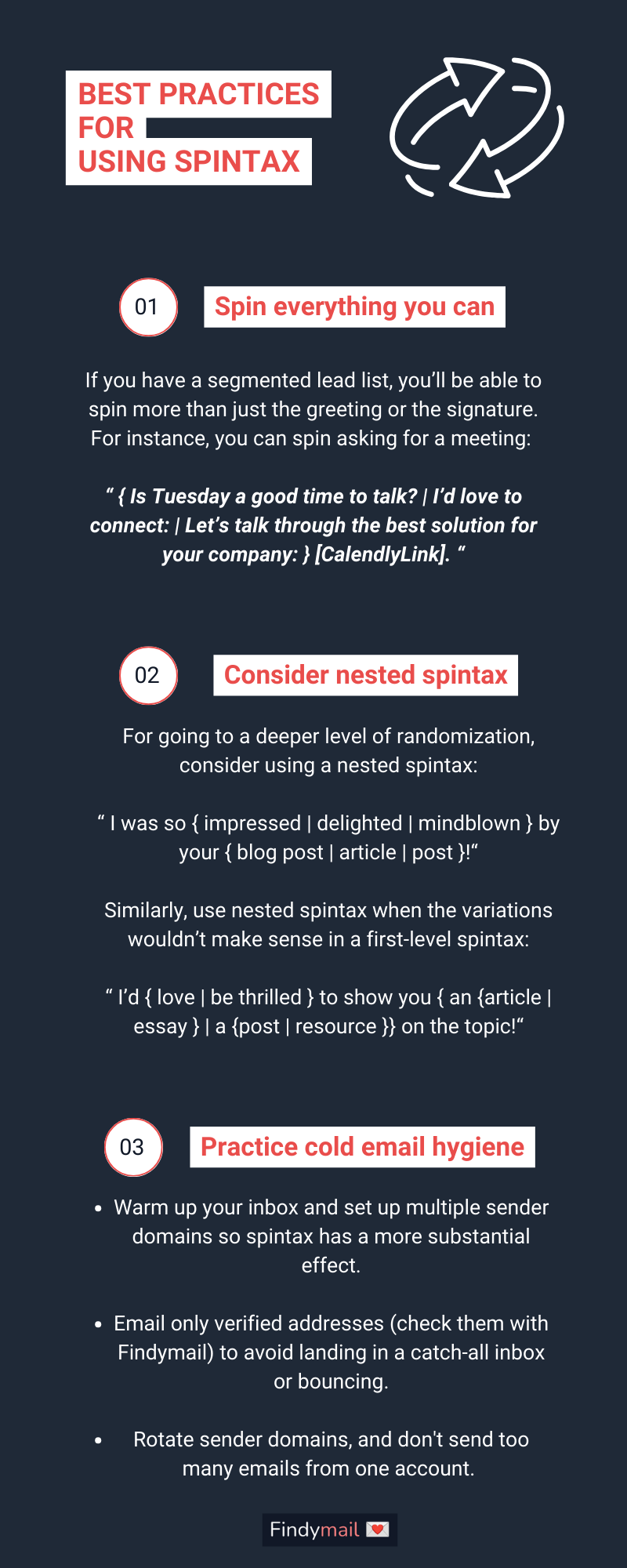
1. Spin everything you can: greeting, introduction, body copy, CTA, and signature.
2. Try nested spintax when variations need different grammar, like a/an.
3. Pair it with inbox warmup, multiple sender domains, verified emails, and a cap of 50-100 emails per account.
Bottom Line: Spintax makes your emails sound less like clones, but it works best alongside clean data and good sending habits.
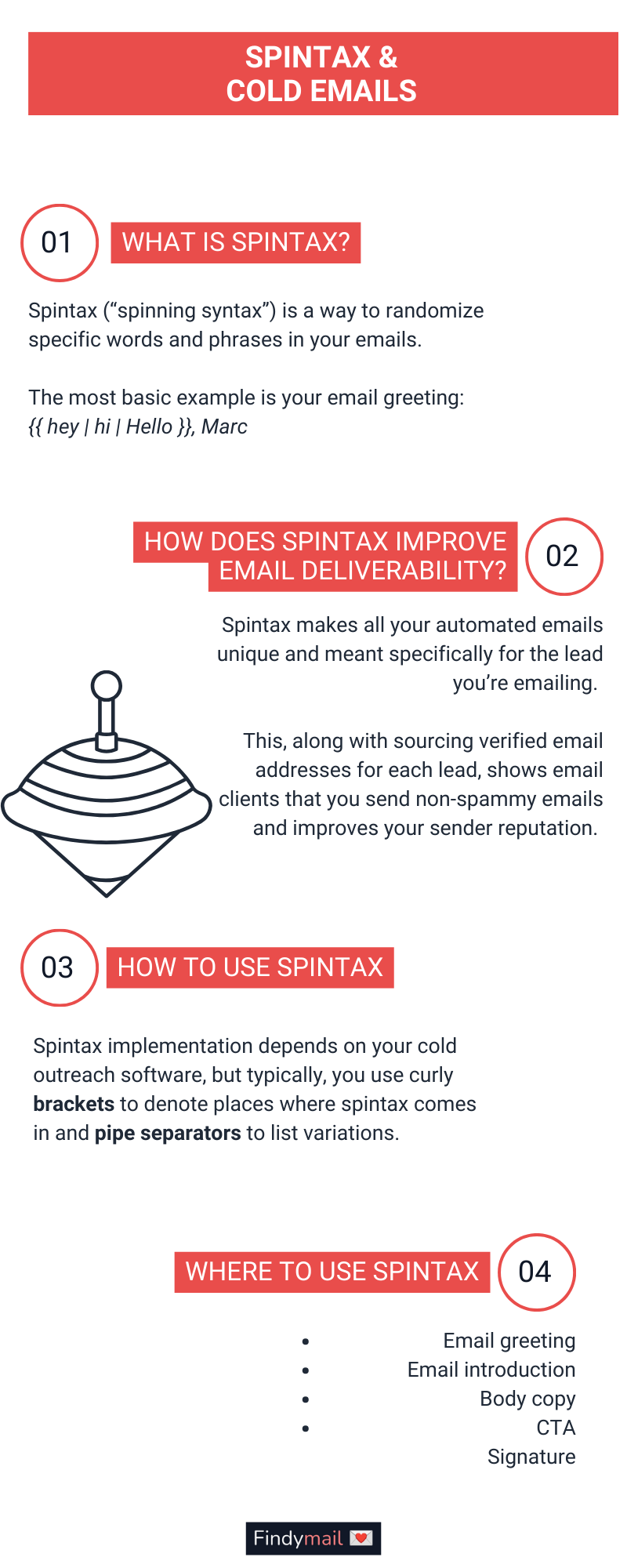
1. What Is Spintax and How Does It Improve Email Deliverability?
Spintax (“spinning syntax”) is a way to randomize specific words and phrases in your emails. The most basic example is your email greeting:
Whenever you send an automated cold email, spintax will choose a variation, so one batch of emails will go out with “Hey, Marc,” and others will be sent with “Hello, Marc.”
And this is just the tip of the spintax iceberg! Read on for more examples of things you can randomize in your emails.
How Does Spintax Improve Email Deliverability?
Email providers look at the content similarity across your emails. While you will vary personal information, your emails will still sound 95% similar.
No matter how warmed up your inbox is, email clients will still flag it for spam, so fewer and fewer of your leads will get your emails. Best case scenario: you’ll land in the Promotions inbox.
Spintax, on the other hand, makes all your automated emails sound unique and meant specifically for the lead you’re emailing. This, along with sourcing verified email addresses for each lead, shows email clients that you send non-spammy emails and improves your sender reputation.
2. How to Use Spintax
Spintax implementation depends on your cold outreach software, but typically you use curly brackets to denote places where spintax comes in and pipe separators to list variations.
I’ll use sp1n.me’s spintax tool for this example:

In the end, I get 96 possible results with different combinations, including:
- “Hey [firstName], noticed you were doing cold emails. That’s so clever! I actually might help you (…) Interested or not really?”
- Hello [firstName], saw you were cold emailing. That’s so cool! I actually could help you (...) Mind if I send more?”
Sp1n.me will also show you all the possible outcomes, so you can sanity-check them and ensure the content makes sense when different variations are combined.
Where to Use Spintax
- Email greeting
- Email introduction
- Body copy
- CTA
- Signature
You can use spintax anywhere you can think of!
The email greeting is a no-brainer, but you can switch up phrases in your introduction and body copy, too. For example:
Have you { heard | seen | read about } [News]? Your { competitor | competition }, [CompetitorName], has! I’d { love to help you | be delighted to assist you to | like to get you } get even better results by [ExplainSolution].
{ Can I send you | Would you mind if I sent you } our case study about [Problem]?
{ Talk to you soon | Have a great day | Cheers },”
See? Spintax can get pretty advanced! And when you pair it with advanced personalization, you’ll have yourself top-performing cold emails in no time.
A Note on Different Tools
Before you start spinning syntax, make sure your email tool supports it. For example, Instantly requires you to add ‘RANDOM’ before your spintax variations:
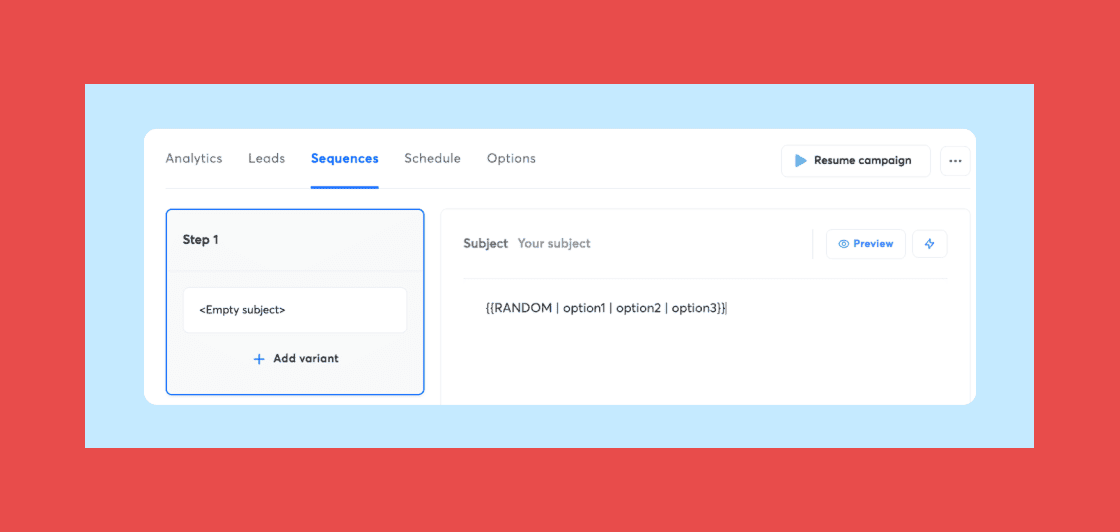
Some tools don’t support spintax at all, while others let you implement it with the click of a button, so your mileage may vary.
3. Best Practices for Using Spintax
Spin Everything You Can
If you have a segmented lead list, you’ll be able to spin more than just the greeting or the signature.
For example, if you’re reaching out to a bottom-of-the-funnel segment of Sales Navigator leads, your email template may not ask them to sign up immediately. Instead, ask them for meeting availability in different words, courtesy of spintax.
Pull a Sales Navigator segment into Findymail and it comes back with email addresses attached, so the tailored version of your meeting ask goes to people you can actually reach.
Consider Nested Spintax
Let’s say you want to go a level deeper into randomization. You could use nested spintax:
Similarly, you could use nested spintax when the variations have differences or wouldn’t make sense in a first-level spintax:
In the example above, you’d use spintax to differentiate between the a/an articles.
Don’t Forget Other Cold Email Hygiene Practices!
The effects of proper cold email hygiene compound, so combine spintax with other best practices, including:
- Warming up your inbox and setting up multiple sender domains so spintax has a more substantial effect.
- Emailing only verified email addresses (check them quickly with Findymail) to avoid landing in a catch-all inbox or bouncing.
- Don’t send too many emails from one account. Stick to 50-100 at max, and rotate sender domains to get more emails without the spam drawbacks.
Don’t let deliverability stop you from closing more deals! It’s time to spin your syntax!
Findymail finds and verifies the email addresses for your LinkedIn leads, so you steer clear of the catch-all inboxes and bounces that quietly drag your sender reputation down.

Valentin
Valentin Wallyn is the founder and CEO of Findymail, a SaaS platform he launched to help B2B teams discover accurate email and contact data and automate data enrichment at scale. With an IT background, Valentin combines a technical mindset with hands-on experience in outreach and growth. His work centers on improving data quality and prospecting efficiency, drawing on years of entrepreneurial experience and a deep understanding of what makes outreach campaigns succeed.