AI Lead Finder
 Email Finder
 Email Verifier
 Phone Finder
 Signals
 CRM Enrichment/Cleaning
 API
API

CRM automation sounds simple in theory. Connect your CRM to a few tools, build some workflows, and suddenly leads route automatically, follow-ups happen on time, and reps spend less time on admin work.
The reality is a lot messier. Most sales teams don't struggle because they lack automation, they struggle because they don't know which tools to use, in what order, or how to connect them into something that actually works. The market doesn't help: there are hundreds of tools that all claim to "automate your CRM," and very few explain where they fit in the stack or what they depend on to function correctly.
That's why modern CRM automation isn't just about workflow builders. The best teams build stacks that combine data enrichment, workflow orchestration, and sales engagement – each layer doing a specific job.
In this guide, we cover the best CRM automation tools for every stage of that process, from keeping records accurate to automating complex GTM workflows at scale.
Datacare continuously enriches your CRM records, verifies emails before they hit your sequences, and kills duplicates before they corrupt your workflows.
TL;DR — The 10 Best CRM Automation Tools
- Findymail CRM Datacare — Best for CRM enrichment and data quality automation
- Clay — Best for enrichment workflows and AI-powered research
- Zapier — Best for no-code CRM workflow automation
- Make — Best for advanced workflow automation
- n8n — Best open-source CRM automation platform
- ActiveCampaign — Best CRM and marketing automation platform
- Apollo — Best prospecting automation platform
- Unify — Best AI-powered outbound automation platform
What Is CRM Automation Software?
One of the most common misconceptions in sales technology is that CRM software and CRM automation software are the same thing.
They aren't. CRM platforms like HubSpot, Salesforce, and Zoho are designed to store customer data, manage pipelines, and track relationships. CRM automation tools eliminate the manual work happening inside those systems.
Think of it this way: your CRM is the database. Automation software is the engine that keeps everything moving.
In practice, that breaks down into four distinct categories:
- CRM enrichment tools automatically update records with accurate contact and company data
- Workflow automation tools move data between systems without manual input
- Sales automation tools trigger outreach, follow-ups, and sequences based on activity
- RevOps automation tools manage routing, scoring, and lifecycle updates across the GTM stack
The best-performing sales teams combine all four.
What CRM Tasks Should Be Automated?
Lead capture — automatically collect and store inbound leads without manual data entry.
Lead routing — assign leads to the right rep based on territory, company size, industry, or other criteria.
CRM enrichment — add missing company and contact data automatically, without burning rep time.
Data cleansing — remove duplicates and maintain record quality on an ongoing basis.
Follow-up workflows — automatically create tasks, reminders, and outreach sequences triggered by deal activity.
Pipeline updates — sync activity data back to the CRM without asking reps to log it manually.
Reporting — keep dashboards reflecting real-time activity across the full GTM stack.
Why CRM Data Quality Matters
Before building automation, most teams need to solve a foundational problem: bad CRM data.
Automation is designed to move information quickly. When records are incomplete or inaccurate, it spreads those problems across every connected tool. Common issues include duplicate contacts, missing contact information, outdated company data, invalid email addresses, and incorrect lead ownership. Fix these first; automate second. That's why many RevOps teams invest in enrichment and data quality tools before scaling workflow automation.
Now let's look at the tools.
The 8 Best CRM Automation Tools in 2026
1. Findymail CRM Datacare — Best for CRM Enrichment and Data Quality Automation
Category: Data Quality
Overview:
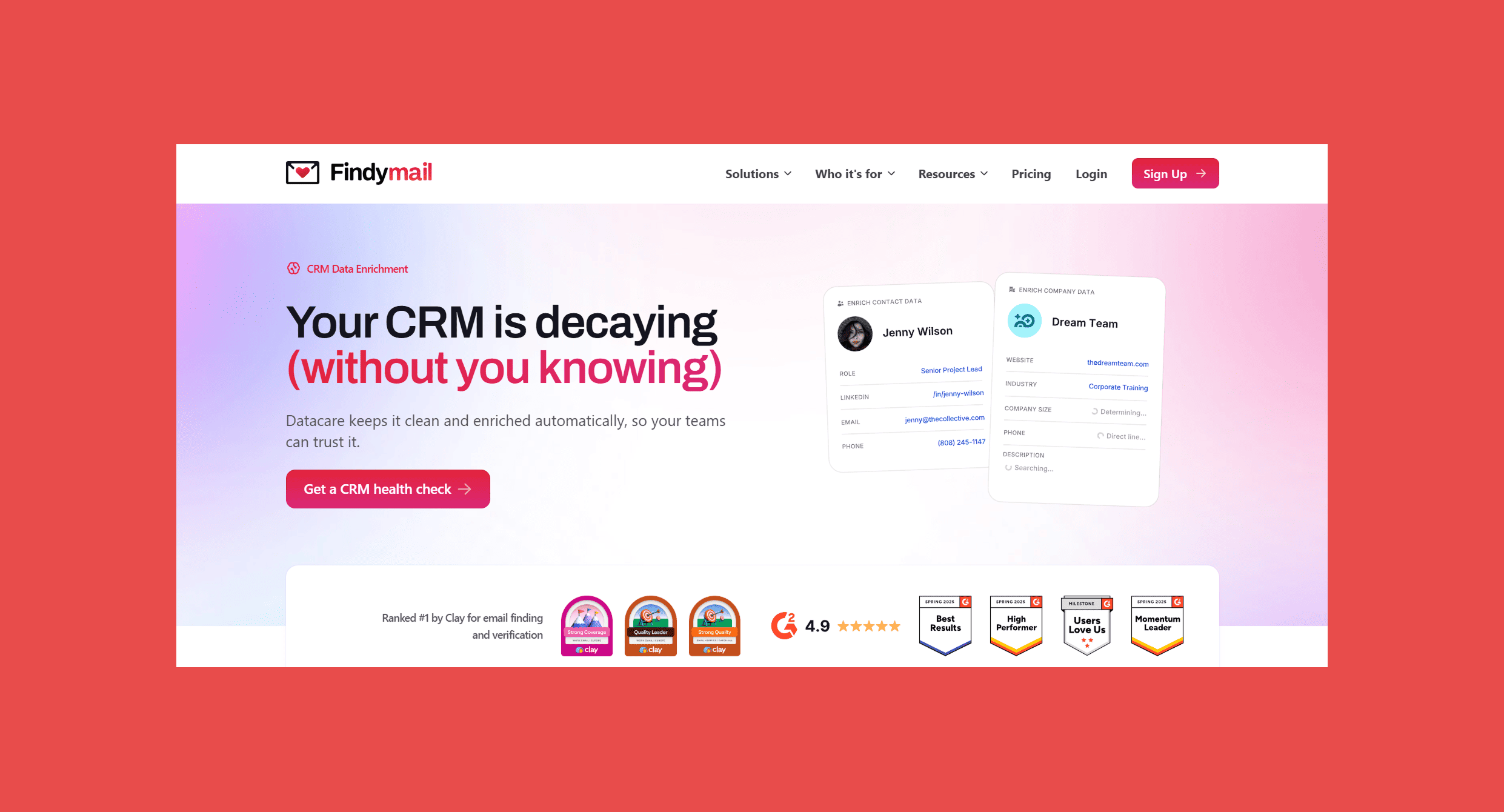
Every automation tool on this list assumes your CRM data is already good. It probably isn't. Contacts change jobs, email addresses go stale, phone numbers disconnect, and company details drift — often before you've finished onboarding the tool meant to automate around them.
Findymail CRM Datacare solves that problem at the source. It connects to your CRM and runs continuous enrichment in the background: filling in missing fields, tracking job changes, verifying email addresses before they hit bounce reports, and merging duplicates before they corrupt your workflows. This isn't a one-time data import. It's an always-on maintenance layer that sits underneath everything else you're running.
Datacare addresses the root cause rather than patching symptoms tool by tool.
Key Features
- Automated CRM enrichment: Continuously refreshes contact and company data across your CRM without manual work
- Email verification: Confirms deliverability before addresses enter your sequences
- Job change tracking: Updates records when contacts move roles or companies
- Duplicate prevention and merging: Identifies overlapping records and consolidates them automatically
- CRM sync: Pushes enriched data directly into HubSpot, Salesforce, Pipedrive, and others
- Deliverability protection: Keeps bounce rates below 5% on outbound sends
Ratings:
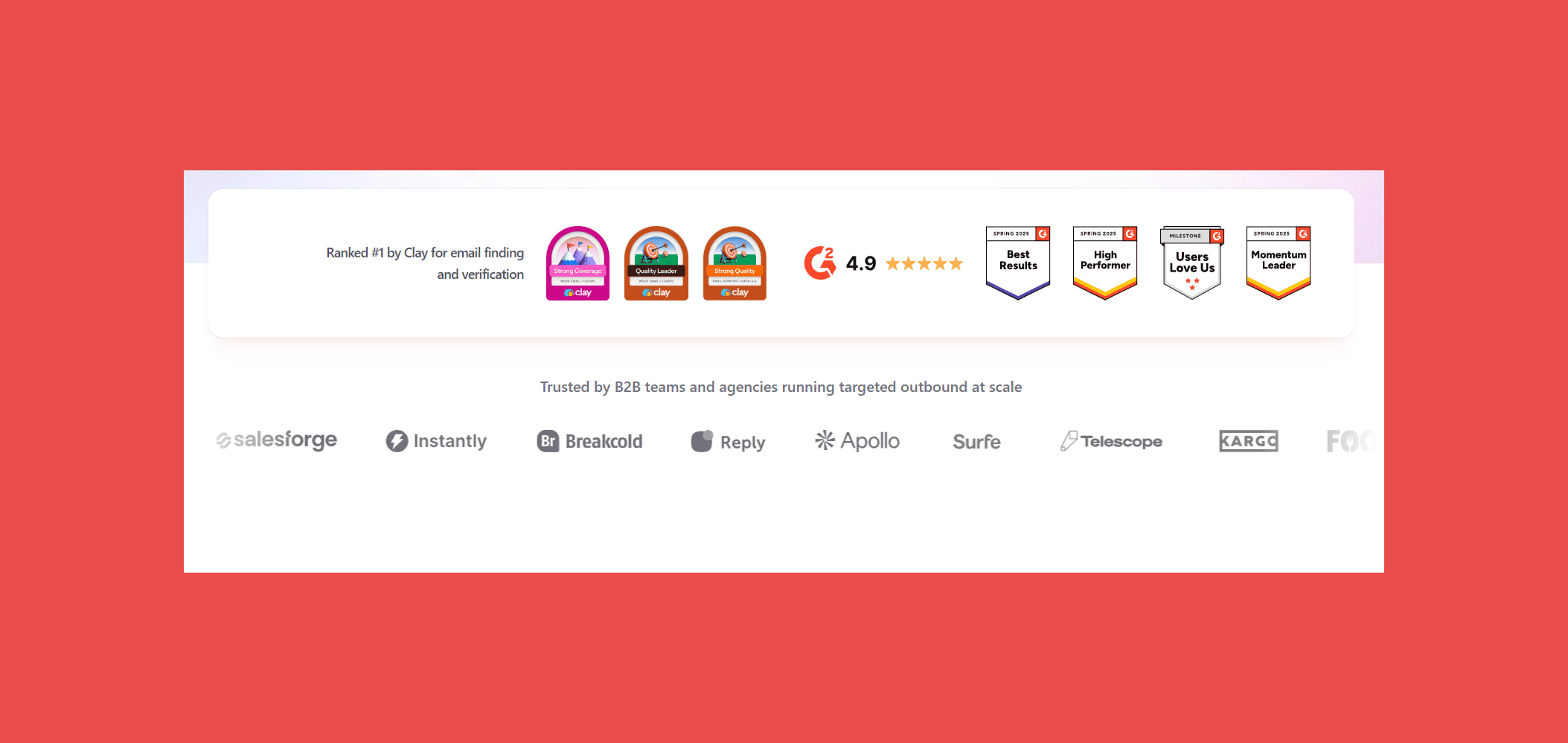
- G2: 4.9/5 (57)
- Capterra: 4.9/5 (7)
Pros:
- Unlike one-time imports, Datacare runs continuously so records don't drift back to being stale.
- A sub-5% commitment is something most enrichment tools won't make in writing.
- Clean, complete records mean your downstream automation fires correctly.
- Works across HubSpot, Salesforce, Pipedrive, and others.
Cons:
- Datacare is a data quality layer, not a workflow automation tool; it works alongside a CRM, not instead of one.
- Not built for complex enrichment workflows, teams that need that level of configurability will want additional tools.
Customer reviews:
- "Findymail: The Best Email Finder for High-Volume Outreach" — Kevin Y., verified G2 reviewer
- "Accurate and Comprehensive Email Search Tool." — Yash A., verified G2 reviewer
Pricing Plans:
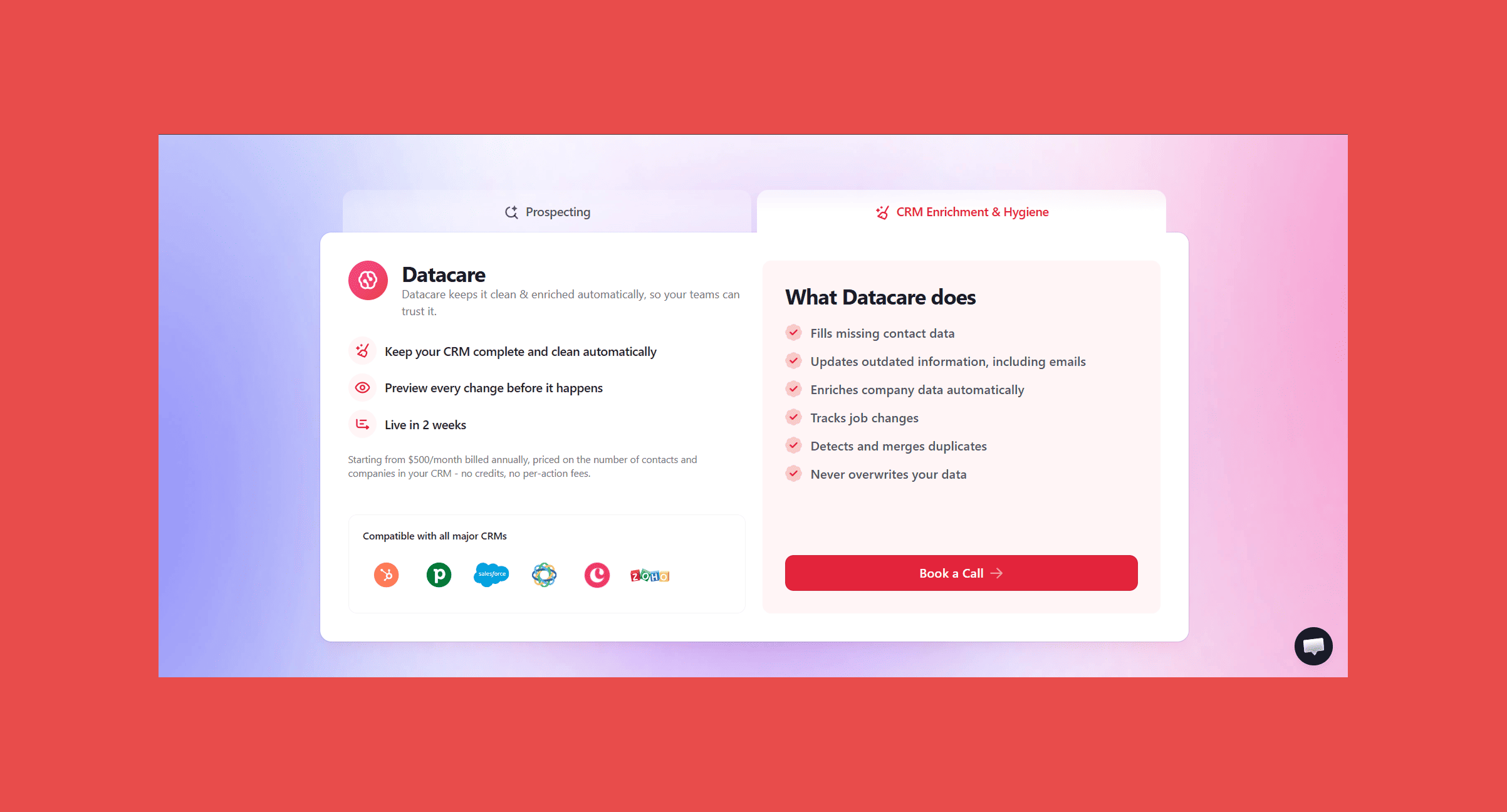
Datacare is priced by database size with unlimited enrichment at every tier. Plans start at:
- $500/month, billed annually: Enrichment + Job Tracking.
- Every demo comes with a free CRM health check.
Every demo of Findymail CRM Datacare includes a free CRM health check, so you know exactly what you're working with before you commit to anything.
2. Clay — Best for Enrichment Workflows and AI-Powered Research
Category: Data Quality
Overview:
Clay is a power-user tool for building enrichment and prospecting workflows that would otherwise require a data team. The core mechanic: pull a list of companies or contacts, run them through a chain of enrichment sources (150+ databases), and push the results wherever you need them – your CRM, a Google Sheet, a sequence tool, Slack.
What separates Clay from standard enrichment tools is the AI research layer. Claygent, Clay's built-in AI agent, can visit company websites, read recent news, analyze LinkedIn profiles, and write personalized outreach copy, all within the same workflow. For teams building high-touch outbound programs that need research at scale, that's a meaningful capability.
The trade-off is complexity. Clay rewards investment, teams that get the most from it tend to have someone dedicated to building and maintaining the workflows. It's not a set-and-forget tool in the way Datacare is.
Key Features
- Multi-source enrichment: Pulls data from 150+ databases in a single workflow, waterfall-style.
- Claygent AI: Researches companies and contacts, summarizes findings, and writes personalized copy.
- CRM sync: Pushes enriched records directly into HubSpot, Salesforce, and other platforms.
- Prospecting workflows: Build targeted lists and enrich them end-to-end without leaving Clay.
- Zapier/Make integration: Connects to the broader automation stack for downstream sequencing.
Ratings:
- G2: 4.6/5 (223)
- Capterra: N/A
Pros:
- Claygent can handle research tasks that normally would require a human.
- Tries multiple data sources in sequence, so you're not locked into one provider
- Large user base sharing templates and workflows.
Cons:
- Getting full value takes time and someone willing to invest in it.
- Heavy enrichment usage costs significantly more than the entry price.
- Clay runs workflows on demand rather than continuously monitoring your CRM for decay.
Customer reviews:
- "The most useful tool in modern go-to-market, plus an outstanding support team." —
- Eiad A., verified G2 reviewer
- "Clay’s Flexible, Powerful Research & Enrichment Engine for Outbound." — Bibhu P., verified G2 reviewer
Pricing Plans:
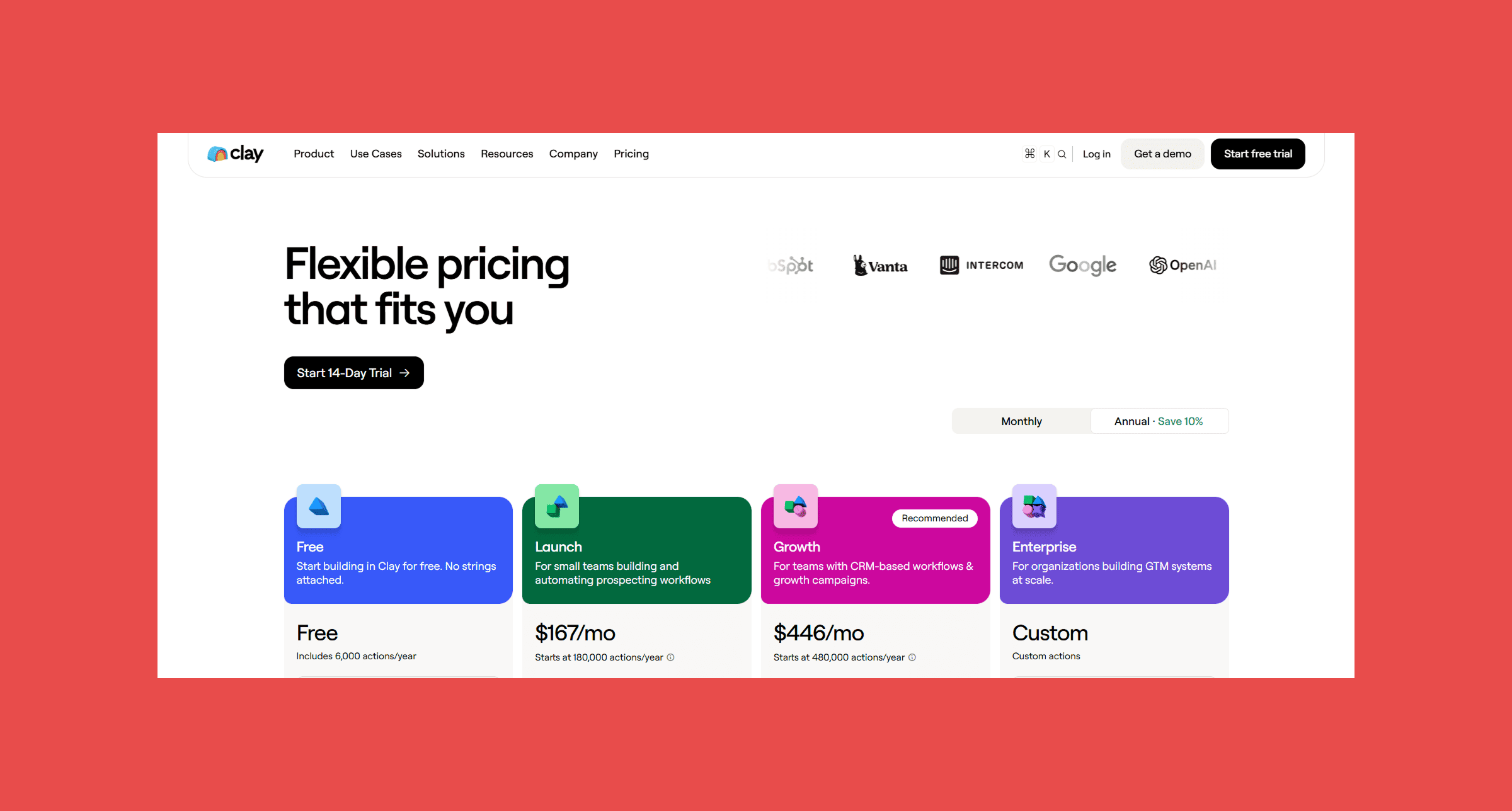
Clay uses a credit-based model. Credits are consumed per enrichment action.
- Free: $0/mo → 500 actions/mo + 100 data credits/mo
- Launch: $185/mo → 15,000 actions/mo + 2,500 data credits/mo
- Growth: $495/mo → 40,000 actions/mo + 6,000 data credits/mo
- Enterprise: Custom pricing → Custom actions/mo + Custom data credits/mo
3. Zapier — Best for No-Code CRM Workflow Automation
Category: Workflow Automation
Overview:
Zapier is the fastest path to automating repetitive CRM tasks without writing code. Need to push new HubSpot contacts into a Slack channel? Create a CRM deal when a Typeform is submitted? Log a Calendly booking directly into Salesforce? Zapier handles it in minutes.
The value proposition is breadth: 6,000+ app integrations. For teams that need their CRM talking to everything else in the stack, that coverage is hard to match. The automation logic is simple enough that non-technical users can build and maintain workflows themselves without pulling in a developer.
Where Zapier shows its limits is on complex, multi-step logic. Branching, error handling, and conditional paths work, but they get awkward at scale. Teams running 50+ Zaps often move the harder workflows to Make or n8n while keeping Zapier for the simple ones.
Key Features
- 6,000+ app integrations: The widest native integration coverage of any automation platform.
- Zap builder: Simple trigger-action logic that non-technical users can set up and modify.
- Multi-step Zaps: Chain multiple actions together with filters and conditional paths.
- Tables and Interfaces: Built-in lightweight database and form tools for managing workflow data.
- AI-assisted setup: Suggests Zap templates based on the tools you connect.
Ratings:
- G2: 4.5/5 (2,081)
- Capterra: 4.7/5 (3054)
Pros:
- Most workflows are live within 10 minutes.
- If your tool exists, Zapier almost certainly connects to it.
- Sales ops can build and maintain without engineering support.
Cons:
- Pricing scales by task count; heavy automation stacks cost significantly more than the entry price suggests.
- Multi-branch conditional workflows are possible but not elegant.
- Troubleshooting failed Zaps is less transparent than Make or n8n.
Customer reviews:
- "Beginner-Friendly Automations with Easy Integrations and Helpful Support." — verified G2 reviewer
- "Easy to Use with a Huge Range of Integrations." —
- Richard D., verified G2 reviewer
Pricing Plans:
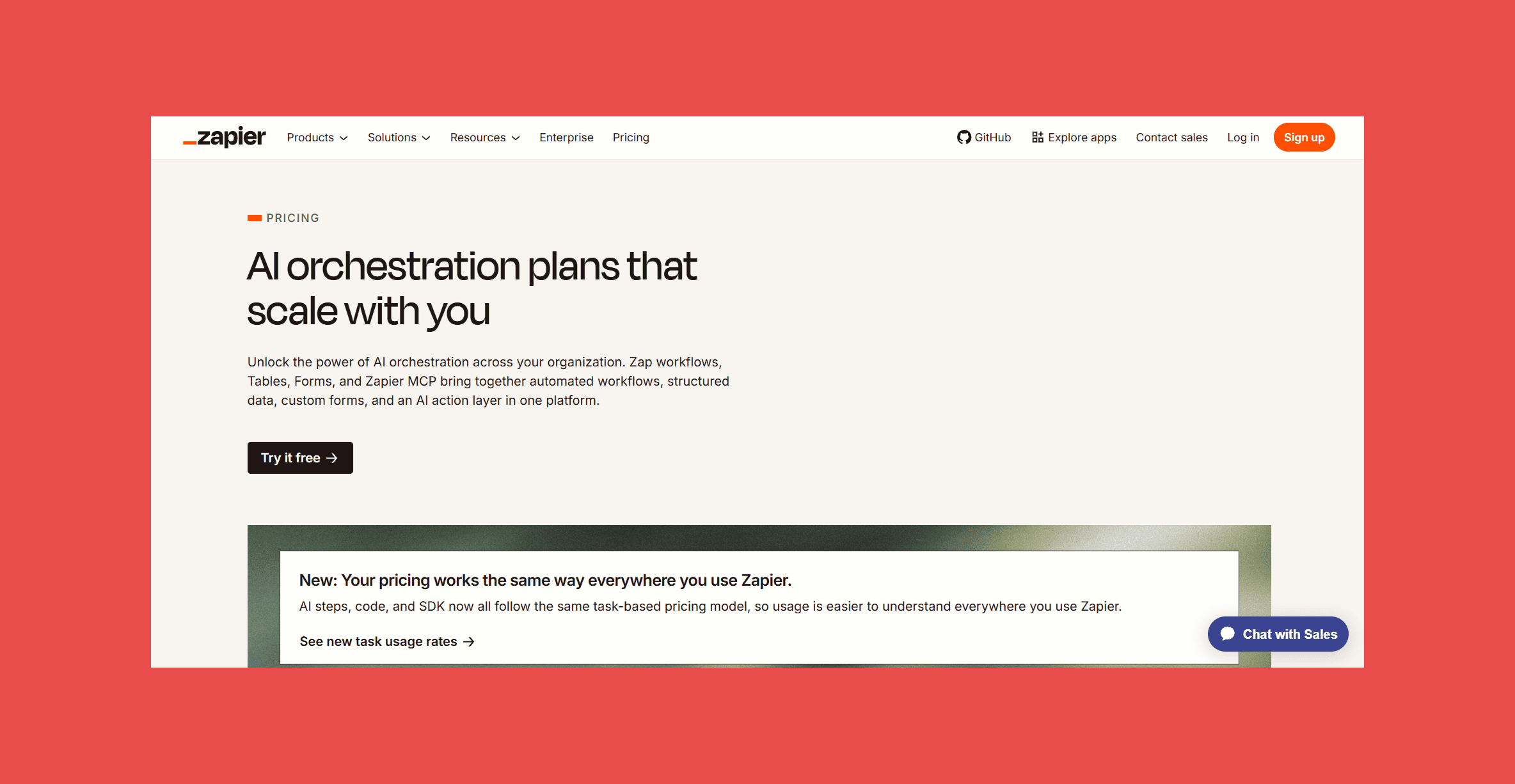
- Free: $0 → Start automating with AI. Zap workflows, Tables, and Forms included (100 tasks per month).
- Professional: $29.99 → Unlocks the full power of the Zapier platform with unlimited access to Zap workflows, Tables, and Forms.
- Team: $103.50 → Collaborate with your team to build and manage complete AI-powered systems.
- Enterprise: Contact for pricing → Scale AI-powered systems across your entire organization.
4. Make — Best for Advanced Workflow Automation
Category: Workflow Automation
Overview:
Make is what teams graduate to when they outgrow Zapier. The visual scenario builder handles complex, multi-path workflows with proper branching, error handling, data transformation, and looping, the things that get awkward in simpler tools.
The interface is more technical, which is a feature as much as a limitation. Operations teams that want granular control over how data moves between systems will find Make significantly more capable.
Key Features
- Visual scenario builder: Drag-and-drop workflow canvas with full branching, filtering, and routing logic.
- Data transformation: Built-in tools for parsing, mapping, and reformatting data between systems.
- Error handling: Configurable error routes so failed steps don't silently break workflows.
- Iterators and aggregators: Process arrays of records in batch operations.
- 1,000+ app integrations: Broad coverage, with HTTP modules for connecting to APIs directly.
Ratings:
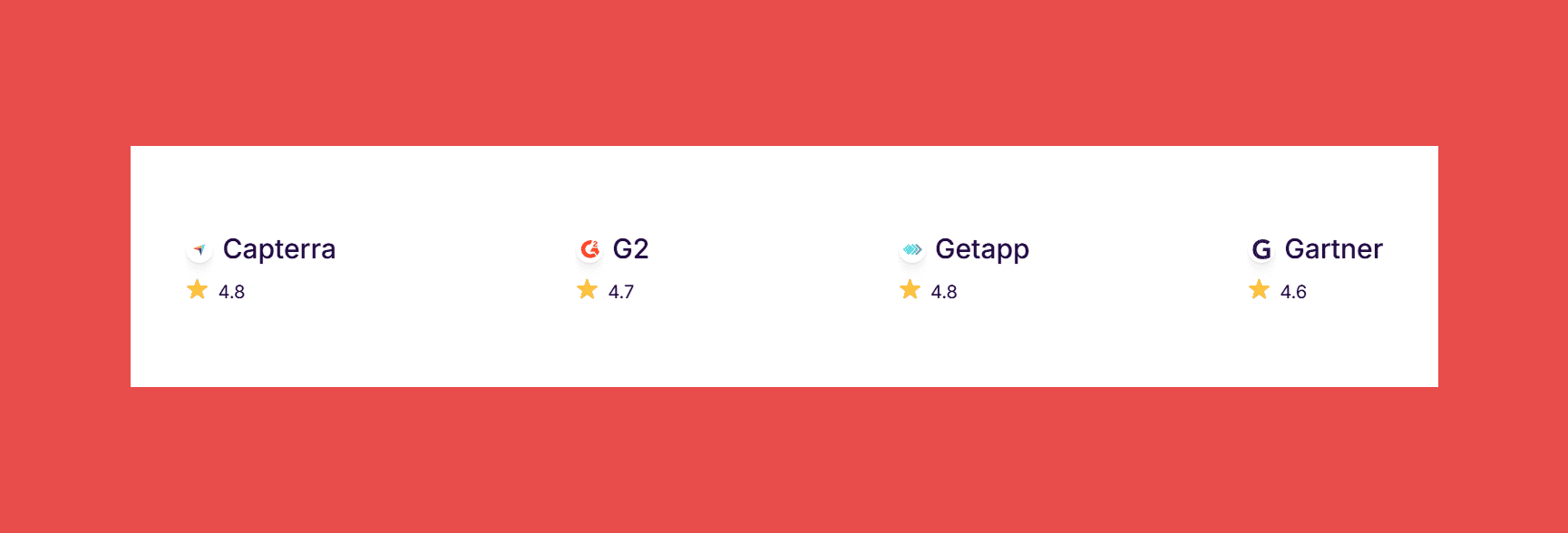
- G2: 4.6/5 (327)
- Capterra: 4.8/5 (407)
Pros:
- Branching, looping, and error handling that Zapier can't match.
- Operation-based pricing is better value for high-frequency automation.
- Execution logs show exactly what happened at each step.
Cons:
- Non-technical users will need more ramp-up time.
- Fewer native connectors than Zapier, though HTTP modules cover most gaps.
- Complex scenarios get visually crowded.
Customer reviews:
- "Powerful, Reliable No-Code Tool with Tons of Service Modules." — Brett K., verified G2 reviewer
- "Empowers personal and business automation, though with a learning curve." — verified G2 reviewer
Pricing Plans:
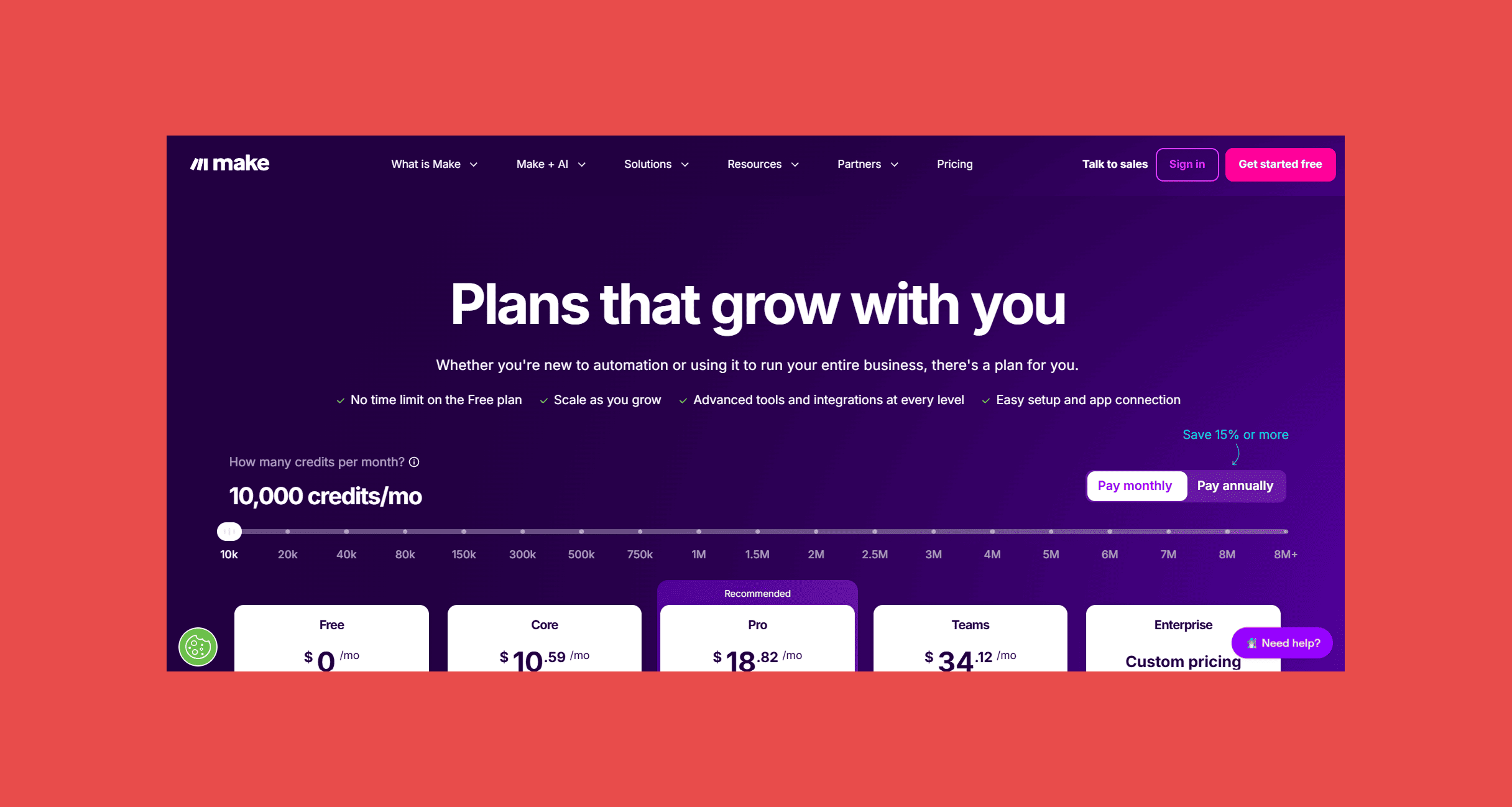
- Free: $0/m0 → 1,000 credits/mo.
- Core: $10.59/mo → 10,000 credits/mo.
- Pro: $18.82/mo → 10,000 credits/mo.
- Teams: $34.12/mo → 10,000 credits/mo.
- Enterprise: Custom pricing.
5. n8n — Best Open-Source CRM Automation Platform
Category: Workflow Automation
Overview:
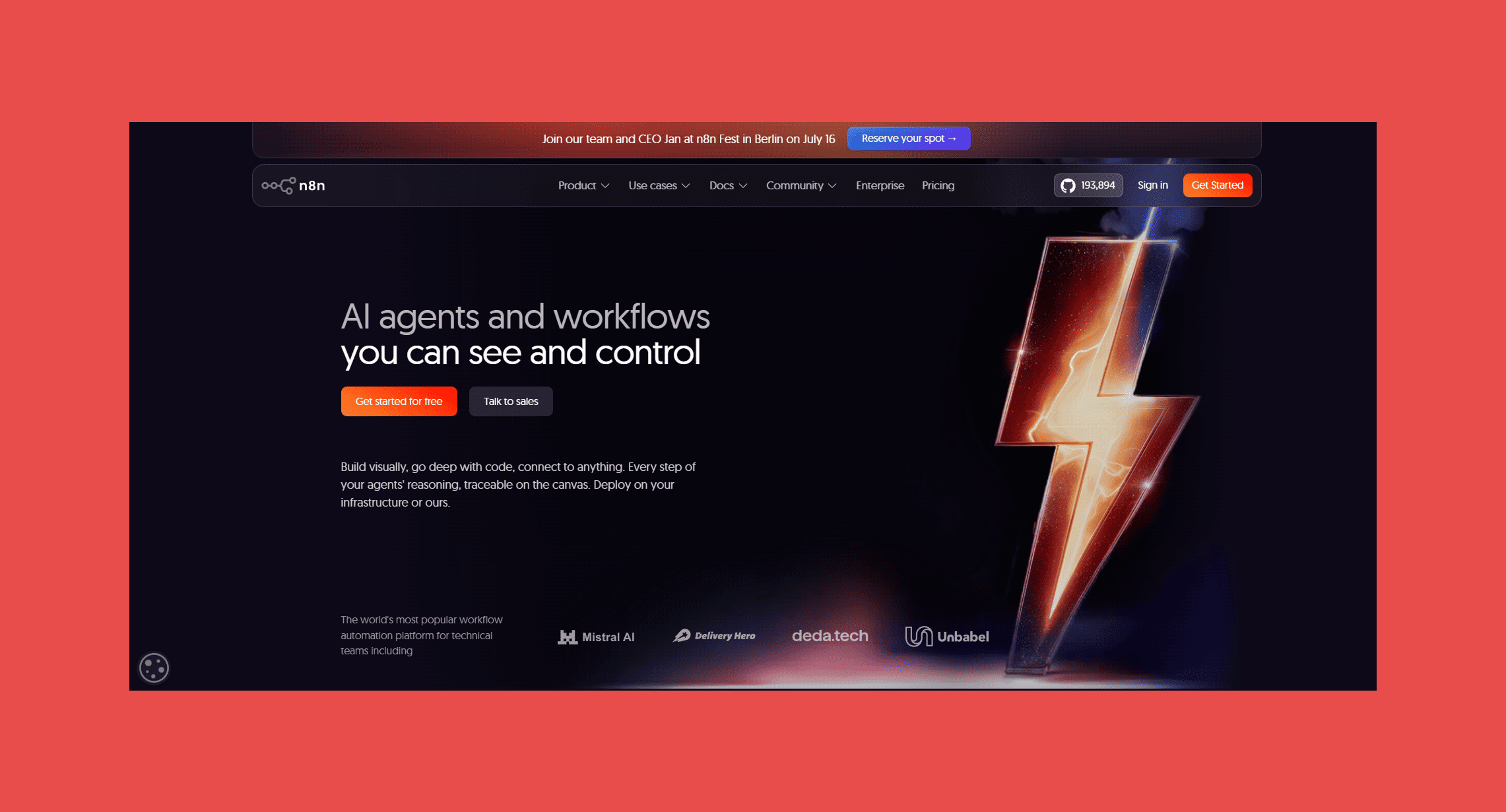
n8n is the automation platform for teams that want maximum control and don't want to pay per operation at scale. It's open-source, self-hostable, and built around a node-based workflow editor that handles everything from simple CRM integrations to complex multi-system data pipelines.
The trade-off is setup time. Self-hosting requires infrastructure work that Zapier and Make don't. n8n Cloud removes that overhead but adds per-execution pricing that narrows the cost advantage.
Key Features
- Self-hostable: Run on your own infrastructure with full data control and no per-execution costs.
- Node-based editor: Visual workflow builder with conditional logic, loops, and data transformation.
- 400+ integrations: Native connectors for major CRMs, databases, and communication tools.
- Custom nodes: Write JavaScript to build integrations that don't exist natively.
- AI workflow support: Native LLM integration for building AI-assisted automation.
Ratings:
- G2: 4.7/5 (284)
- Capterra: 4.6/5 (45)
Pros:
- Self-hosted n8n has no per-execution costs, making high-volume automation dramatically cheaper.
- Records never leave your infrastructure.
- Custom nodes mean the platform grows with your requirements.
Cons:
- Self-hosting isn't a job for a non-technical ops team.
- Fewer shared templates and a smaller support ecosystem.
- The managed option removes the self-hosting cost advantage.
Customer reviews:
- "We moved our entire automation stack to self-hosted n8n. The cost savings over Zapier at our volume were substantial." — verified G2 reviewer
- "Best tool for technical teams who want control. Not for everyone, but for us it's the only option." — verified G2 reviewer
Pricing Plans:
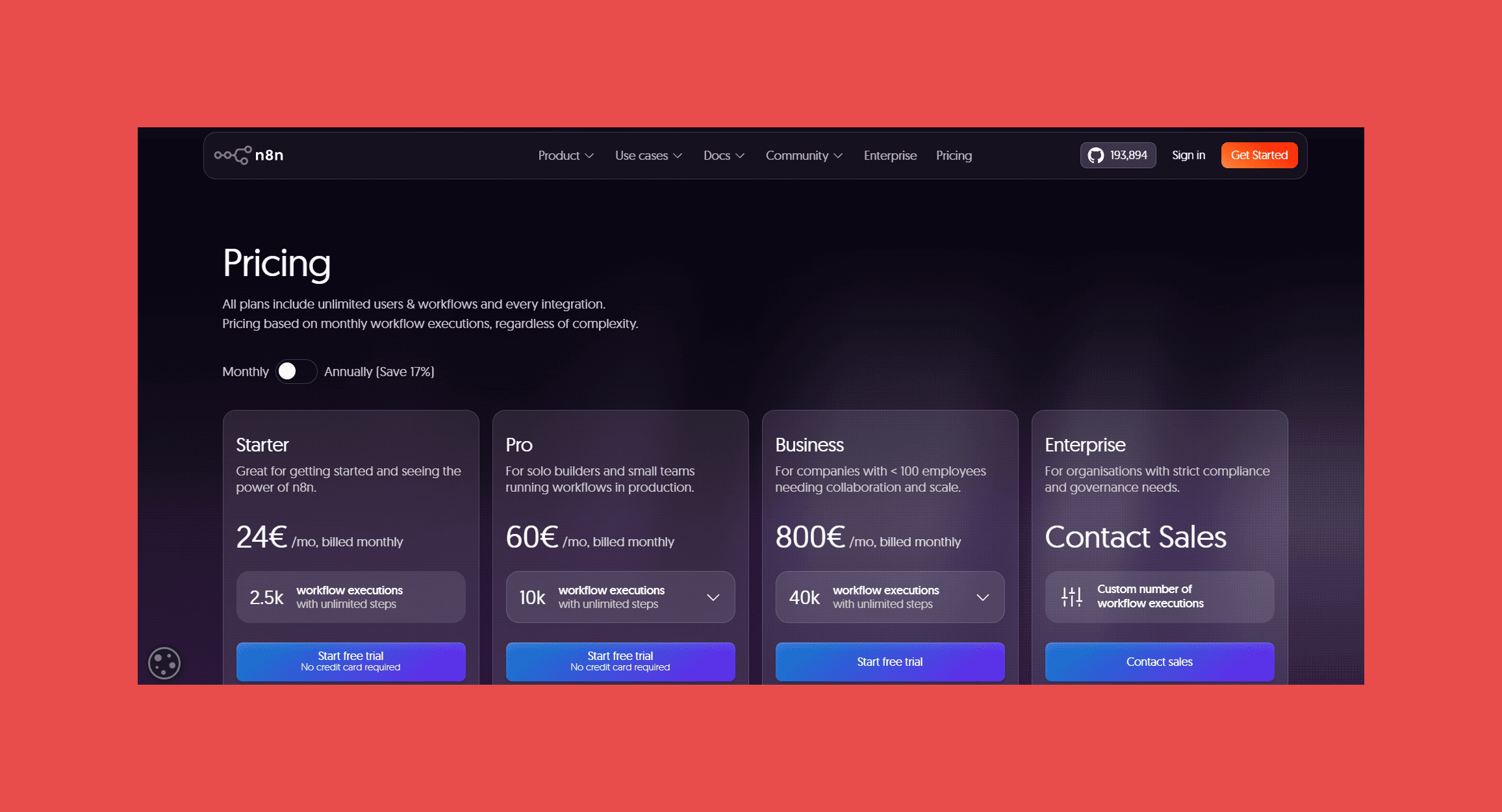
- Starter : €24/mo → 2,500 workflow executions/mo.
- Pro: €50/mo → 10,000 workflow executions/mo.
- Business: €800/mo → 40,000 workflow executions/mo.
- Enterprise: Contact Sales → Custom number of workflow executions.
6. ActiveCampaign — Best CRM and Marketing Automation Platform
Category: Sales Automation
Overview:
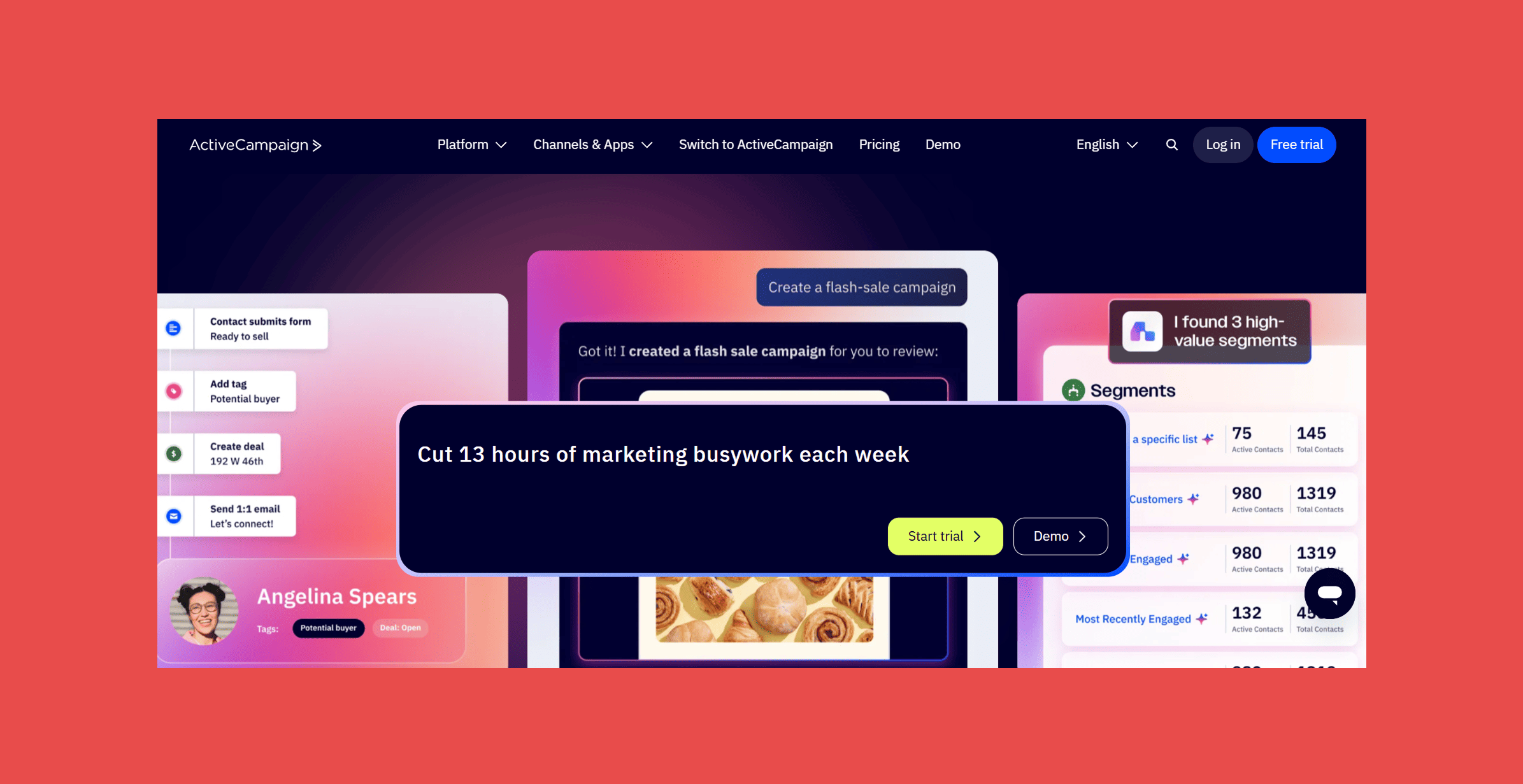
ActiveCampaign started as an email marketing platform and grew into a CRM. That heritage shows in both its strengths and its gaps. If your sales motion depends heavily on email sequences triggered by behavioral signals (site visits, email opens, form submissions) this is one of the most capable tools available for the price. The automation builder is flexible, and the lead enrichment workflows it supports connect marketing and sales in ways most dedicated CRMs handle awkwardly.
Where it lags is in core CRM features: deal management and pipeline visibility are functional but not the reason you'd choose it. Teams that need a full sales CRM alongside email automation often end up maintaining two systems anyway.
Key Features
- Visual automation builder: 500+ pre-built templates covering most common sales and marketing workflows.
- Site tracking triggers: Fires automations based on specific page visits or on-site behavior.
- Predictive sending: Optimizes send times per contact using engagement history.
- Lead scoring: Scores contacts across both marketing and sales interactions in a unified model.
- Unified SMS and email workflows: Coordinates across channels within a single automation sequence.
Ratings:
- G2: 4.4/5 (14,702)
- Capterra: 4.6/5 (2,562)
Pros:
- The flexibility of the builder is hard to match below $150/month.
- Lite at $29/month covers more than most competitors at the same tier.
Cons:
- Pipeline management is functional but limited compared to HubSpot or Pipedrive.
- Getting inbox placement right takes real setup work.
- The builder rewards power users; new users can get lost.
Customer reviews:
- "Easy to use and with advanced automation for efficient workflows." — Vanessa P., verified G2 reviewer
- "Seamless Salesforce & Meta Sync with Powerful Testing and a User-Friendly Email Builder." — verified G2 reviewer
Pricing Plans:
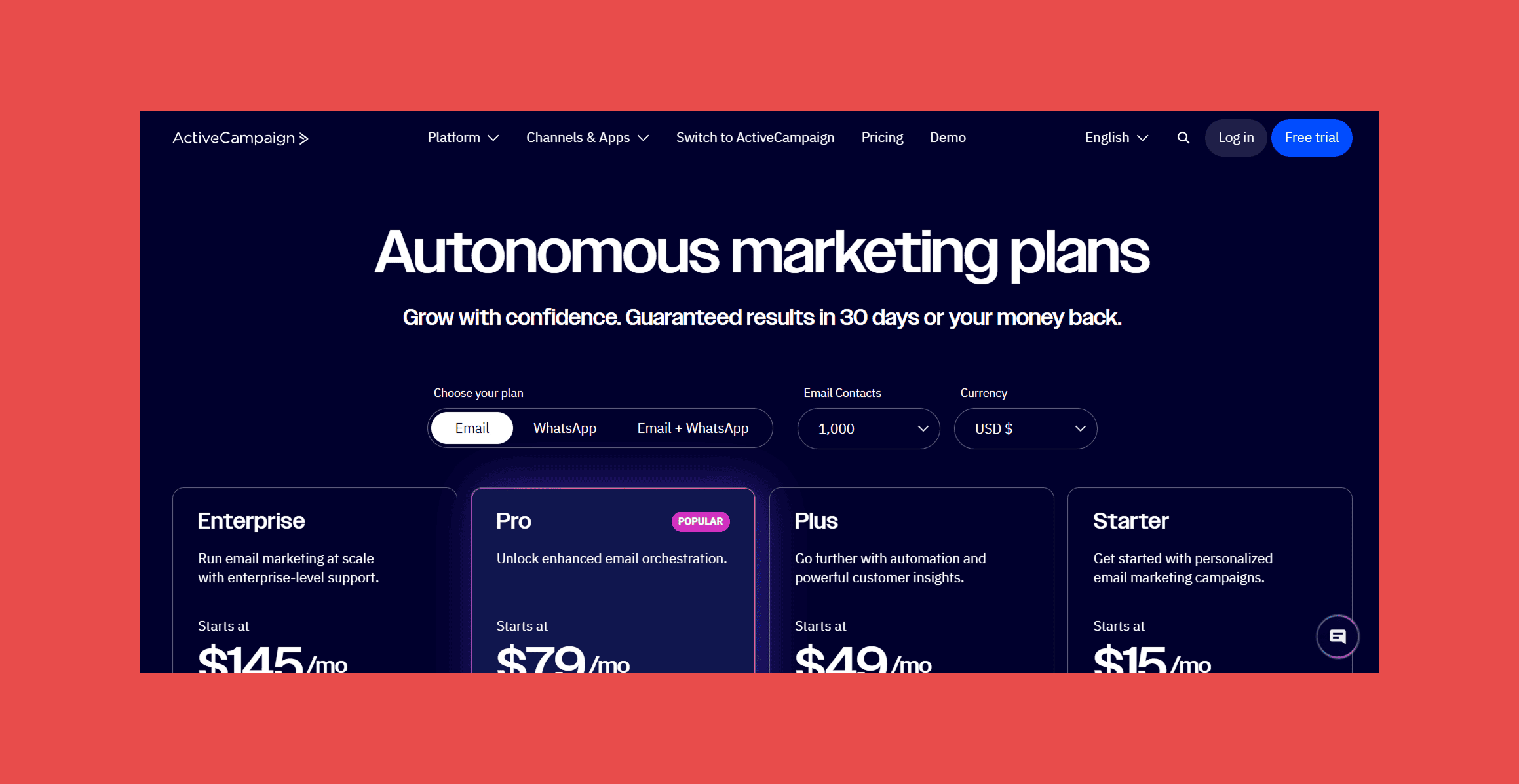
- Starter: $15/mo, billed annually.
- Plus: $49/mo, billed annually.
- Pro: $79/mo, billed annually.
- Enterprise: $145/mo, billed annually.
7. Apollo — Best Prospecting Automation Platform
Category: Sales Automation
Overview:
Apollo combines a contact database with outreach automation in one platform. The core workflow: find prospects matching your ICP, verify their contact data, enroll them in a sequence, and track engagement, all without leaving the tool or exporting to a separate system.
The honest limitation is data quality. Apollo's database is large, but coverage varies by industry and geography. Teams targeting niche verticals or specific regions should validate bounce rates before running high-volume sends.
Key Features
- Expansive B2B Database: 210M+ contacts and 65+ data points, making it a solid foundation for enrichment at scale.
- AI-Powered Lead Scoring: Score prospects based on fit, behavior, engagement history, and conversion likelihood — with the option to define your own scoring rules.
- Job Change & Missing Email Enrichment: Automatically updates records when contacts change roles or companies, keeping your data fresh without manual intervention.
- Waterfall Enrichment: Pulls from Apollo's database and a cascading lineup of third-party sources to surface more complete, actionable contact data.
- Enrichment & CRM Sync: Flexible enrichment workflows with native integrations across Salesforce, HubSpot, Zoho, and Pipedrive for real-time sync of contacts, tasks, and activity.
Ratings:
- G2: 4.7/5 (9,672)
- Capterra: 4.5/5 (394)
Pros:
- Can be integrated with Findymail to add an extra layer of email verification and protection.
- Users consistently praise the size and depth of the contact database for prospecting at scale.
- Clean interface and intuitive navigation make building and managing outreach campaigns relatively straightforward.
Cons:
- Initial setup and onboarding can feel complex for new users.
- The free plan is very limited, making it hard to use meaningfully without upgrading.
Customer reviews:
- "Effortless Automation with Intuitive UI" – Fernando Velicia., verified G2 reviewer
- "All-in-One Prospecting to reduce tech sprawl" – Brendan L., verified G2 reviewer
Pricing Plans:
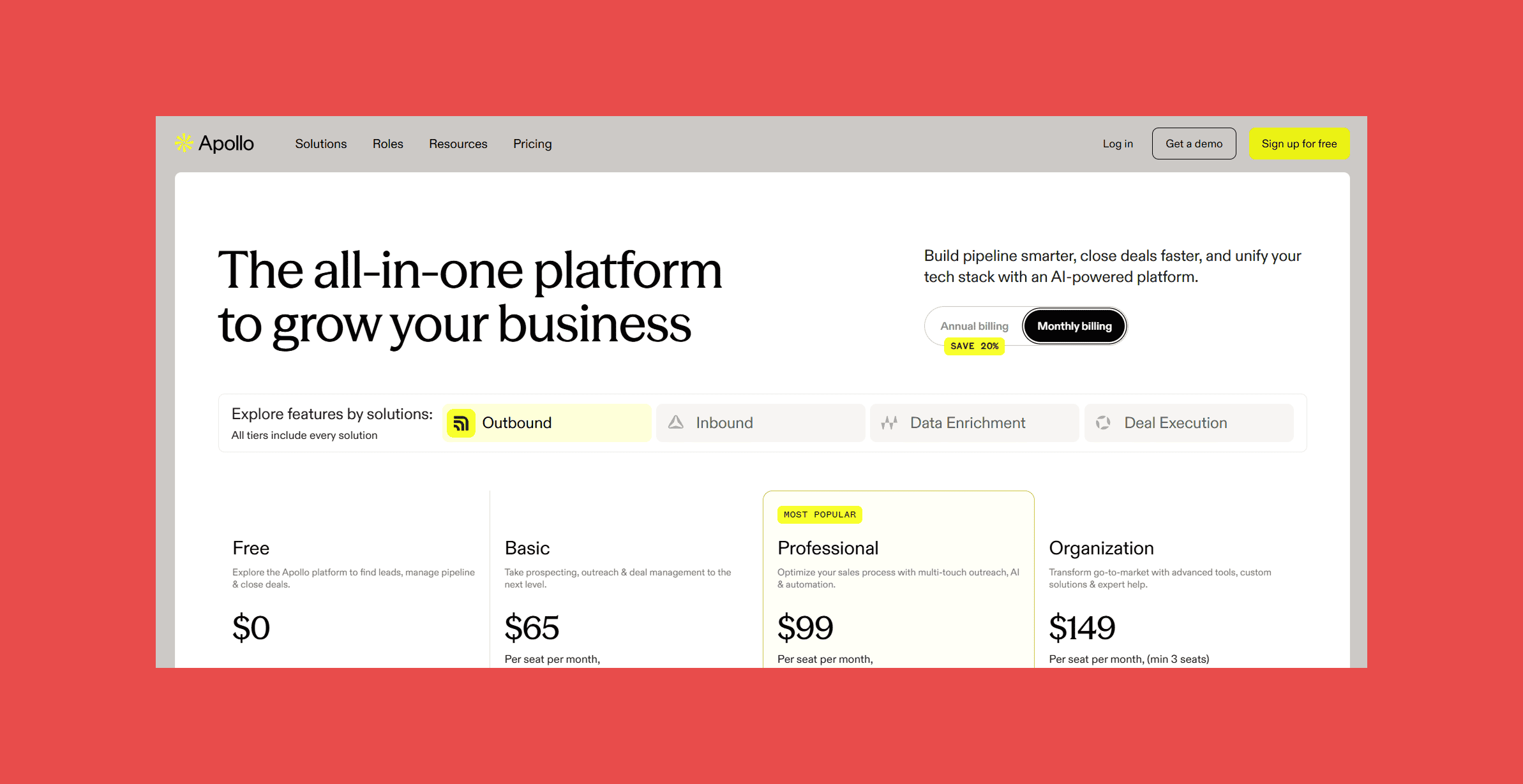
- Free: $0/user/mo – 75 credits.
- Basic: $59/user/mo – 2,500 credits.
- Professional: $99/user/mo – 4,000 credits.
- Organisation: $59/user/mo – 6,000 credits.
Apollo's database is large, but data quality varies, and stale or unverified emails pushed back into your CRM quietly corrupt your sequences over time. Findymail CRM Datacare sits underneath your stack, verifying addresses and refreshing records so every contact Apollo surfaces is actually worth reaching out to.
8. Unify — Best AI-Powered Outbound Automation Platform
Category: Sales Automation
Overview:
Unify is built around a specific premise: outbound works better when it's triggered by buying signals rather than batch-and-blast cadences. The platform monitors account-level signals (hiring activity, funding rounds, technology changes, job postings) and automatically enrolls relevant prospects into personalized sequences when those signals fire.
It's a newer platform with a narrower integration surface than established tools. Best suited for teams with a defined ICP and a clear sense of which signals predict buying intent for their specific product.
Key Features
- Signal monitoring: Tracks hiring, funding, technology changes, and intent signals across target accounts.
- AI sequence personalization: Generates outreach copy referencing the specific signal that triggered the workflow.
- Automated enrollment: Moves prospects into sequences automatically when a qualifying signal fires.
- Account prioritization: Surfaces accounts showing the strongest combination of signals.
- CRM integration: Syncs activity and signal data back to HubSpot and Salesforce.
Ratings:
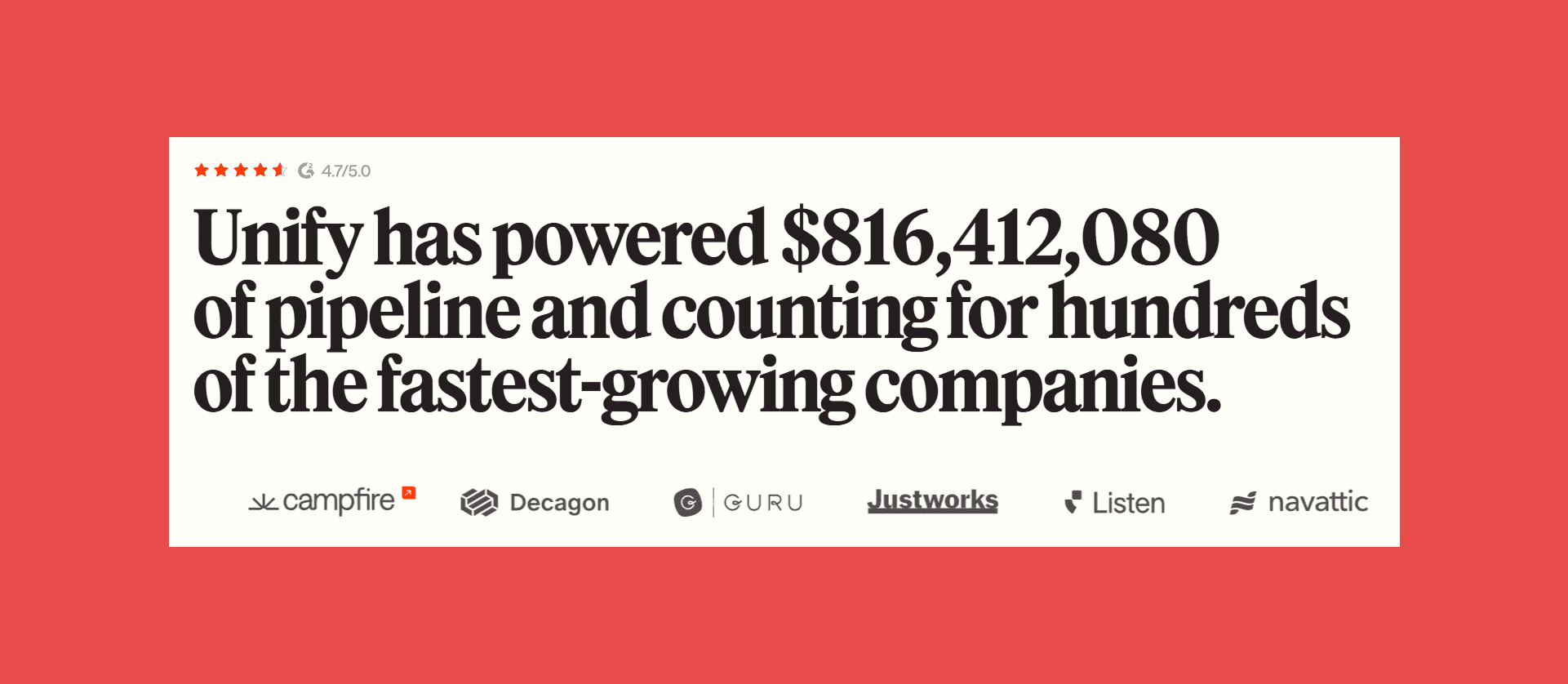
- G2: 4.7/5 (43)
- Capterra: N/A
Pros:
- Reaching accounts at the right moment outperforms timing-based cadences.
- AI-generated copy that references real account context, not generic merge fields.
- Focus on accounts showing buying intent rather than entire ICP lists.
Cons:
- Narrower integration surface and smaller customer base than established tools.
- Signal-based automation delivers the most value when you know exactly which signals to monitor.
- No public pricing; requires a sales conversation to get started.
Customer reviews:
- "Powerful Tool with Stellar Support." — Jay D., verified G2 reviewer
- "Creates Chaos, Not Solutions." — Luka S., verified G2 reviewer
Pricing Plans:
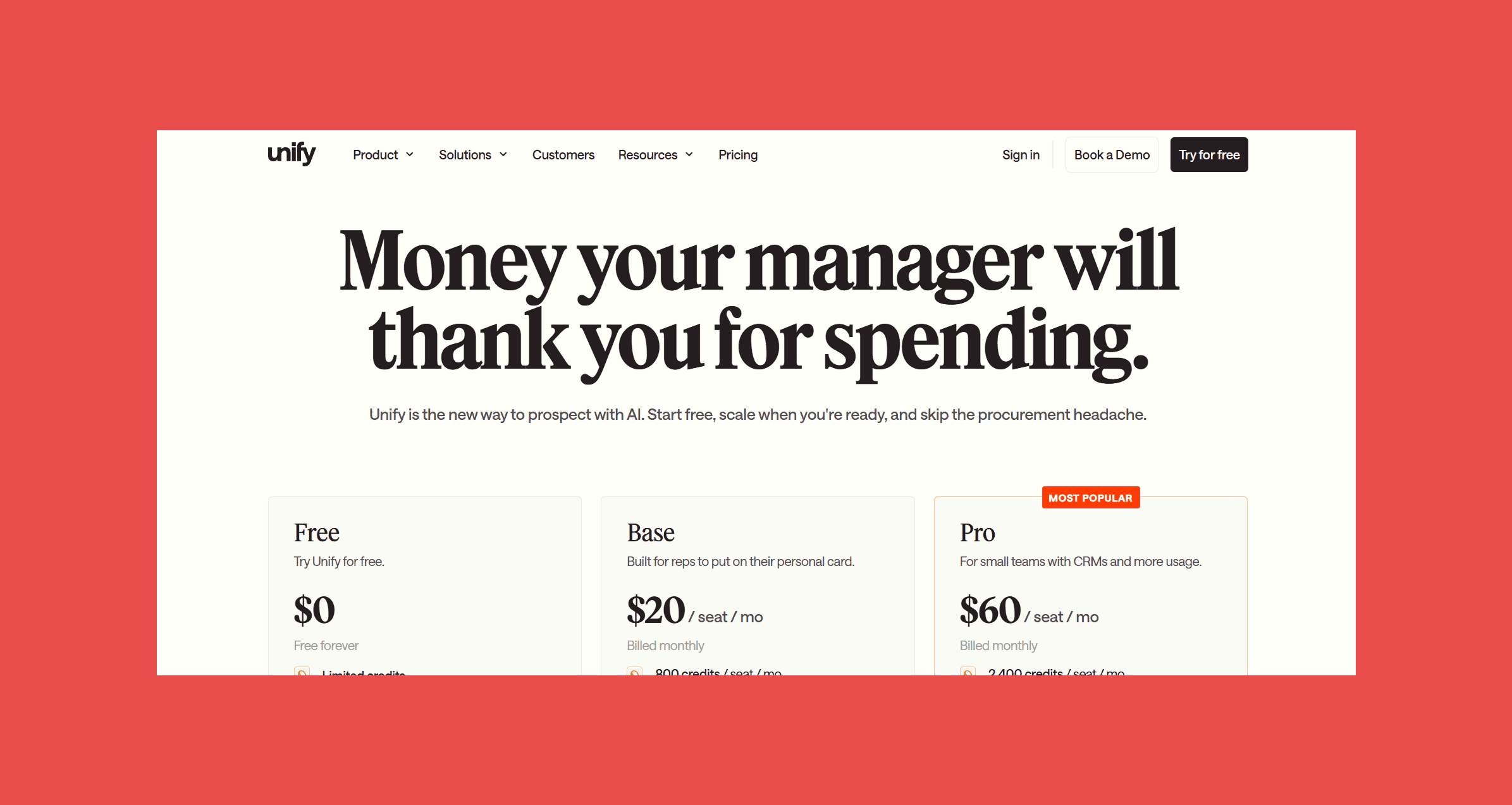
- Free: $0/mo → Limited credits.
- Base: $20/seat/mo → 800 credits/seat/mo.
- Pro: $60/seat/mo → 2,400 credits/seat/mo.
How to Build Your CRM Automation Stack
The tools above fall into four layers, and the order matters.
Start with data quality. Everything else depends on accurate records. Duplicates, stale contacts, and missing fields don't disappear when you add automation — they just move faster. Findymail CRM Datacare handles this layer with continuous enrichment rather than one-time fixes. Clay handles it for teams that need power-user research workflows on top.
Add workflow automation. Once your data is clean, connect your CRM to the rest of your stack. Zapier covers simple integrations quickly. Make or n8n handle complex, high-volume workflows that simpler tools can't. Pick based on your team's technical capacity.
Layer in sales automation. With clean data and connected systems, sequencing and prospecting actually work. Apollo handles prospecting. ActiveCampaign handles email-heavy nurture. Unify adds signal-based timing for outbound teams.
The Bottom Line
CRM automation is a stack, not a tool. Data quality, workflow automation, sales engagement, CRM operations, each layer does a specific job, each depends on the others.
Start with data quality. Build from there.
Findymail CRM Datacare runs continuously in the background, enriching records, catching job changes, and verifying emails before they cause damage downstream. Every demo includes a free CRM health check.
FAQ About CRM Automation Tools
What CRM tasks should be automated?
Start with the highest-frequency, lowest-judgment tasks: logging emails and calls, routing inbound leads, creating follow-up tasks after deal stage changes, enrolling contacts into sequences, and alerting reps when deals go quiet. These are easy to validate and safe to automate early. Add scoring, routing logic, and lifecycle updates once the simpler workflows are stable.
What is the best CRM automation tool for small businesses?
Zapier for connecting your existing tools quickly. Apollo if you're doing outbound and need a data source alongside sequencing. For data quality, Findymail CRM Datacare starts at $500/month billed annually and pays for itself quickly if you're sending any volume of outbound email.
How much does CRM automation software cost?
Workflow automation starts free (Make, n8n self-hosted, Zapier free tier). Paid plans run $9–50/month for Make and Zapier at entry level. Sales automation tools like Apollo start at $49/user/month. Data quality tools like Findymail CRM Datacare start at $500/month billed annually. Enterprise platforms like HubSpot Operations Hub Professional and Salesforce Enterprise run $165–720/month.
Can CRM automation improve sales productivity?
Yes, with a ceiling. McKinsey found productivity gains of 10–15% from sales automation — roughly equivalent to adding one rep to a 10-person team. Those gains assume clean data and well-designed workflows. Automation built on incomplete records or poorly defined processes won't move the needle.
Why does CRM data quality matter for automation?
Because automation follows instructions exactly. A scoring model running on incomplete firmographics produces wrong scores. A sequence firing off a stale email address bounces. Territory assignment using an outdated job title routes the deal to the wrong rep. Every automation you build depends on the accuracy of the underlying data — which is why CRM data quality belongs at the foundation of the stack, not as an afterthought.

Valentin
Valentin Wallyn is the founder and CEO of Findymail, a SaaS platform he launched to help B2B teams discover accurate email and contact data and automate data enrichment at scale. With an IT background, Valentin combines a technical mindset with hands-on experience in outreach and growth. His work centers on improving data quality and prospecting efficiency, drawing on years of entrepreneurial experience and a deep understanding of what makes outreach campaigns succeed.